Self-hosted gallery
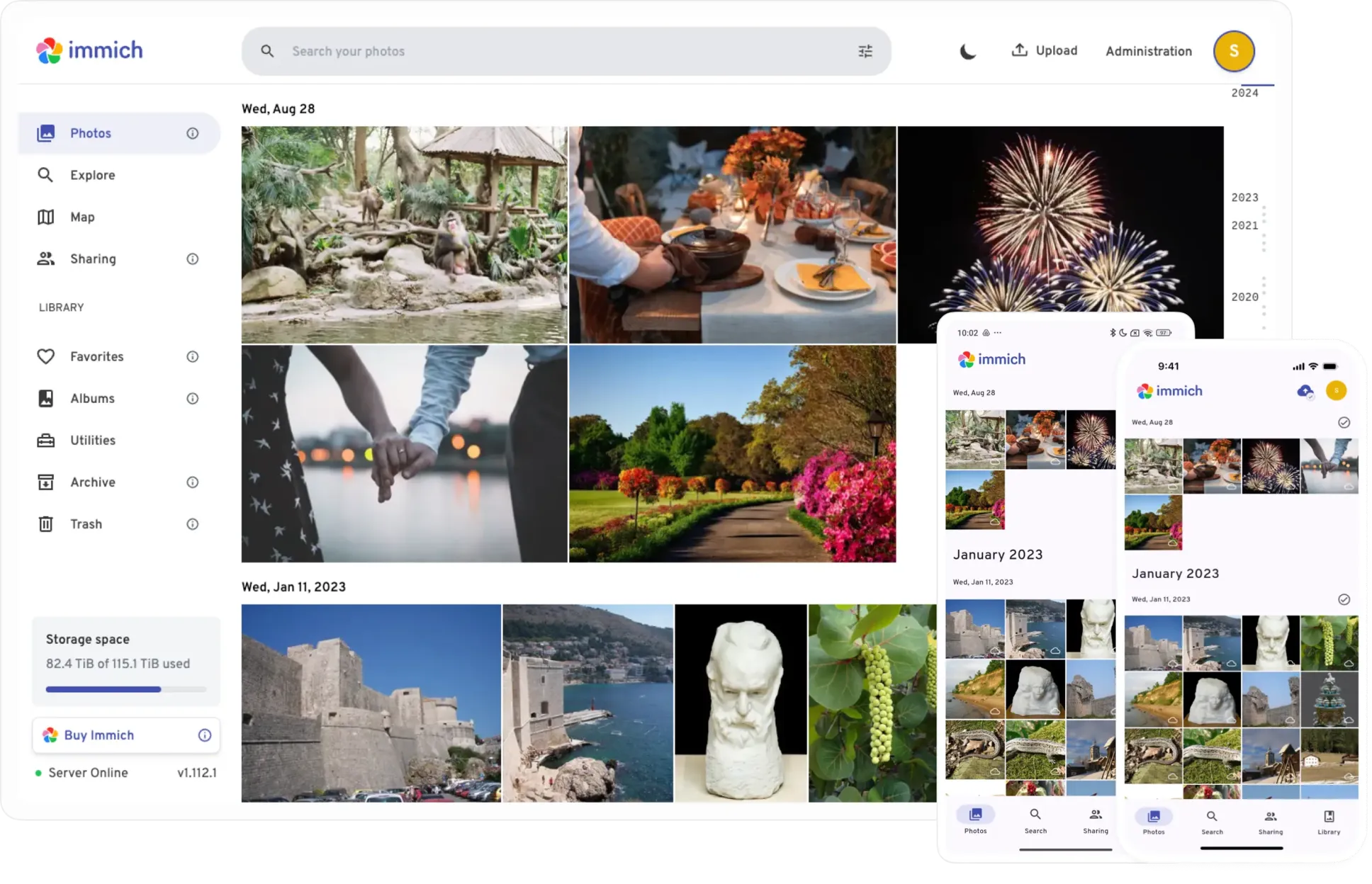
Access my Immich instanceImmich is open-source software that allows you to easily back up, organize and manage your photos on your own server. It is a great Google Photos alternative, offering many of the same features, such as face recognition, easy search, and memories.
Why choose Immich?
Hosting my own gallery app was one of the main reasons I wanted to have a server in the first place. It allows me to store and back up a large amount of pictures without needing a subscription, and knowing that only I can access them. Here are the main requirements I had when choosing what software to use.
- Open-source and self-hostable
- Actively developed and maintained
- App for both Android and iOS, with automated backups
- Pleasant and easy-to-use interface
- Easily share content
- Face recognition
Immich checks all the boxes, it is the open source gallery app with the most traction at the moment, with the project having over 100k stars on GitHub. It is extremely easy to set up, which was not a requirement, but definitely a nice to have, and even easier to use with an interface that is very reminiscent of what you would find in Google Photos. Content sharing is made very easy both between users and with people not using Immich. Immich also offers multiple models for facial recognition and smart search. This allows you to find the best balance between speed and quality based on your server's performance. The default model for face recognition turned out just fine, but I was glad I could switch the smart search model to one that works better with French!

Immich also has a few other functionalities that I don't really need, but are nice to have. For example, there's a password-protected vault (which unfortunately isn't encrypted and remains accessible to the admin), configurable map views, and an efficient tool for deduplication. There's also OCR to help you find that old picture of the menu you took at a restaurant 6 months ago.
Some alternatives I tried
Ente Photos
Being open source, it can of course be self-hosted (which is the way I tried it), but it also exists as a paid cloud subscription,
for people without a home server (i.e, pretty much everyone). I fully expect the paid service to be just as good as the self-hosted one.
For cloud services, end-to-end encryption is great because it means you do not need to trust the service provider not to use your data
in ways you didn't agree to, as you know that they simply cannot do it. It also provides an additional layer of protection for your data in case of a data breach.
However, in my self-hosted use case, it is less useful. The users know me personally and trust me to not mess with their stuff.
The interface is easy to use, though not quite as polished and pleasant as Immich's.
The facial recognition isn't quite as good either, often creating multiple profiles per person, though they are easy to merge
Ente Photos is good software, and I can happily recommend it, but it wasn't quite my favourite.

PhotoPrism
PhotoPrism is a feature-packed gallery option. Its interface is quite different from what Google Photos or Immich can offer,
but it is just as practical. It does not have a smart search feature but more than make up for it with a powerful and very clean advanced search panel.
Other features, such as albums and the map are polished and work well.
Face recognition is efficient and fairly precise, but sadly does not an offer the option to manually fix errors or add undetected faces.
On the server side, I really appreciate the very low ressource usage.
Not everything is great though. PhotoPrism does not have an iOS app, and even on Android,
a separate app is required for the automated backup of your photos and videos.
Moreover, PhotoPrism's support for multiple users with separate personal galleries is
abysmal.
Their official website recommends setting up multiple instances, one for each user.
PhotoPrism has interesting features but does not fit my use case.
Nextcloud
Nextcloud provides a gallery app called "Photos", but it is quite limited by itself.
It can be upgraded though! The Memories third party app provides very similar functionalities,
with some improvements, such as the ability to share pictures with non-Nextcloud users, a slightly different interface, and most importantly,
a mobile app with all the web interface's functionality. Unfortunately, automatic syncing still requires the base Nextcloud app.
Memories can be further improved by installing a smart media tagging and face recognition app.
At the time of trying, the best available was Recognize.
This brings us close to feature parity with Immich.
The web interface and mobile app are nice and fast but not quite as polished as Immich,
File synchronization is much faster and more reliable than with Immich, managing pictures and folders is very easy.
On the other hand, face recognition is slower and not quite as precise. Just like in PhotoPrism, there is also no option to manually add or modify a face.
The ressource usage on the server is also much higher, but that is justified by Nextcloud being much more than just a gallery app.
Nextcloud Memories is a solid option that benefits from the integration within the Nextcloud ecosystem.
However it does not make sense if you are not already using Nextcloud.