Drive and Collaborative document editing
Access my CryptPad instanceFor this section, I am looking for a software that can be hosted on a fairly low power server, with the following functionalities:
- Remote storage accessible through a web browser
- Collaborative document editing with support for both OpenDocument Format(ODF) and Microsoft's Office Open XML (OOXML) file formats
- Synchronisation of selected folders to remote storage
- A Mobile application and/or mobile-friendly web interface
In other words, an alternative to Office 365, or Google Workspace.
I'll be using these services as a reference.
I will be using the term "Collaborative Productivity Suite" to describe a software or group of software with most or all of these functionalities.
Unlike with some other services, I haven't quite made up my mind on what I want to use in the long run.
It turns out that there are many viable open-source options. I've been trying some of them, here are my thoughts.

Collaborative document editing
Let's start with the collaborative document editing tools,
as most of the other software I will be talking about integrates one of the 2 options:
OnlyOffice Docs and/or Collabora Online.
Both provide online editors that allow real-time collaborative editing of documents, spreadsheets and presentations.
They also offer desktop and mobile applications for local document editing.
They are self-hostable and can integrate with various file hosting software, such as Nextcloud, ownCloud, Seafile and many more.
The interface of Collabora Online and OnlyOffice Docs are very heavily inspired by Microsoft Office,
making the transition from one tool to another almost seamless.
OnlyOffice Docs
OnlyOffice Docs primarily works with the OOXML formats (.docx, .pptx, .xlsx, ...) from Microsoft.
It is widely considered to be the best and most reliable implementation of OOXML formats outside Microsoft Office.
OnlyOffice can only open ODF (.odt, .odp, .ods, ...) files in read only mode,
it must first convert them to OOXML before they can be edited.
When saving the documents, OnlyOffice allows exporting them back to ODF format.
Converting from one file format to another will lead to some formatting issues which may alter the document's overall appearance.
This is particularly visible in long and/or complex documents and presentations, where small differences may amplify each other.
The content itself is unaffected by the conversion process.
OnlyOffice brands itself as
Free and Open Source Software (FOSS),
but there have been some issues regarding both the way the project is licensed
[1],
and the way it is handled, with critics claiming that the development process isn't open at all[2].
This, alongside some geopolitics (the project has Russian roots), led to the creation of the (not yet fully released)
Euro-Office fork.

OnlyOffice operates using a client-side document editor that regularly synchronises the changes made by the user back to the server. This approach allows editing without any of the latency that usually comes with a cloud service and offers a snappier experience. It also means that in case of loss of connection, you can keep on editing your document without interruption. On the other hand, this approach can cause a loss of work if the connection is not properly re-established after an interruption. It also means that other users contributions might appear in blocks rather than as they type, leading to slightly harder collaboration and risk of conflict.
-
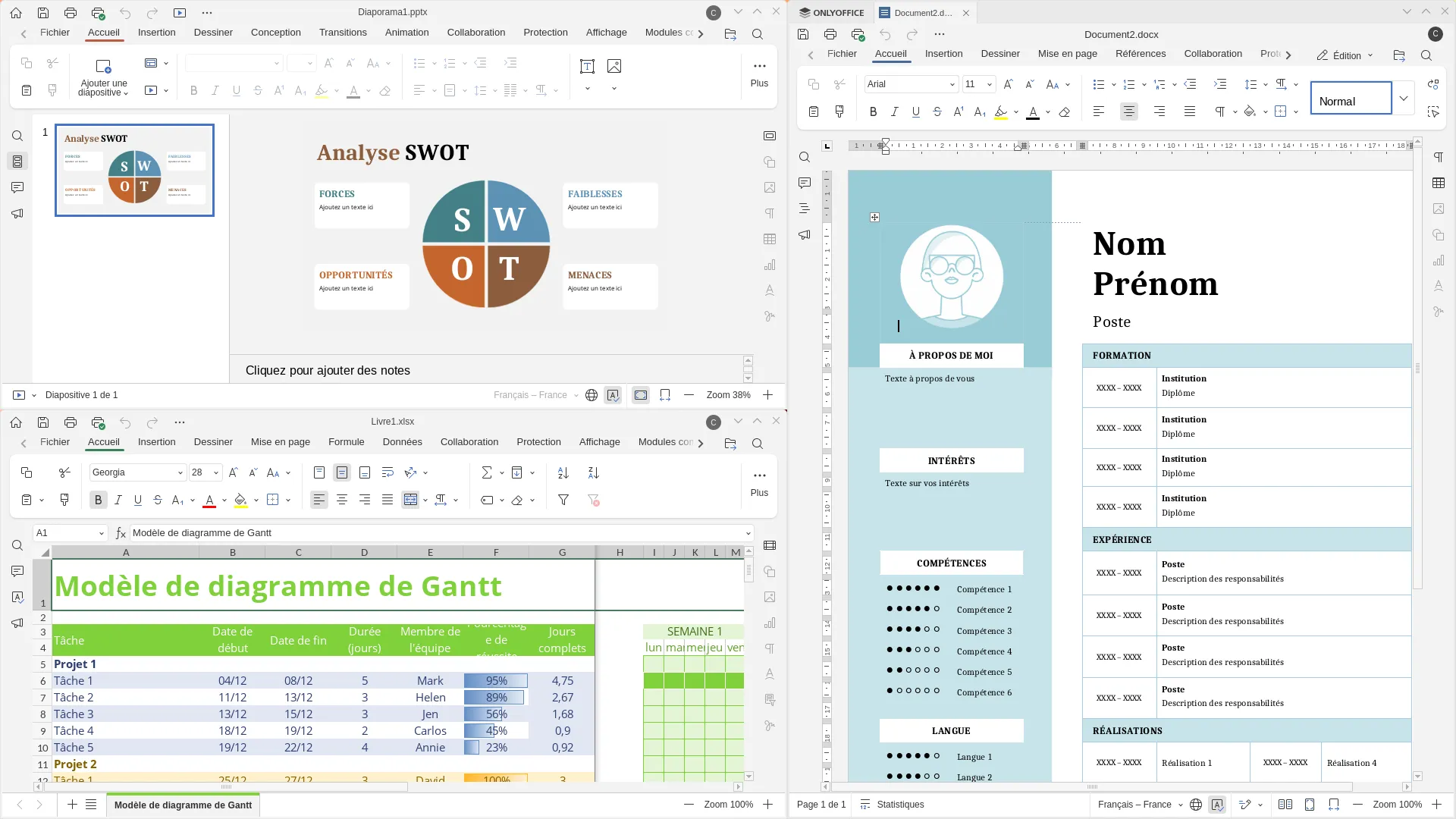
Document, Spreadsheet and Presentation editors side by side -
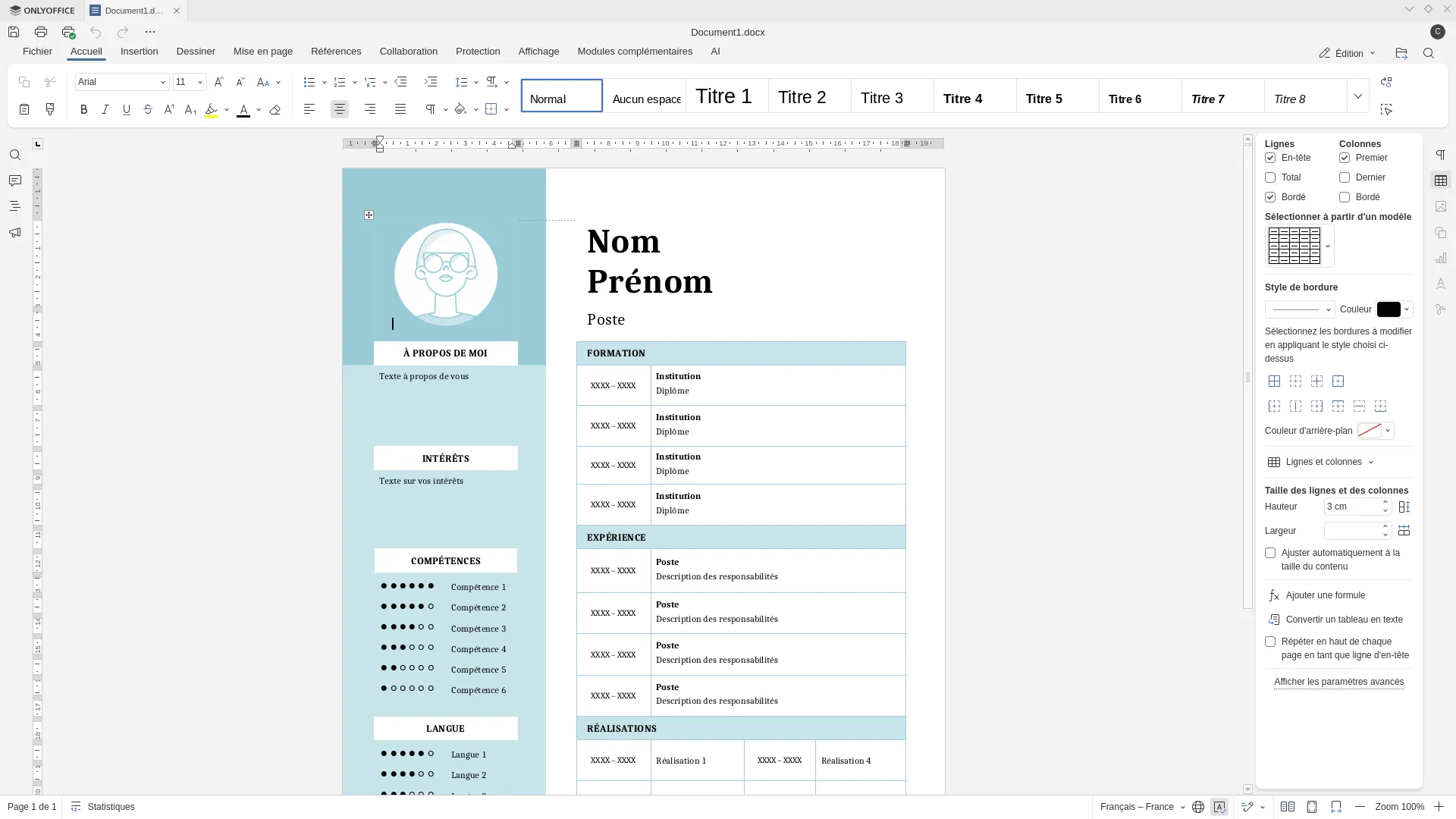
Document editor -
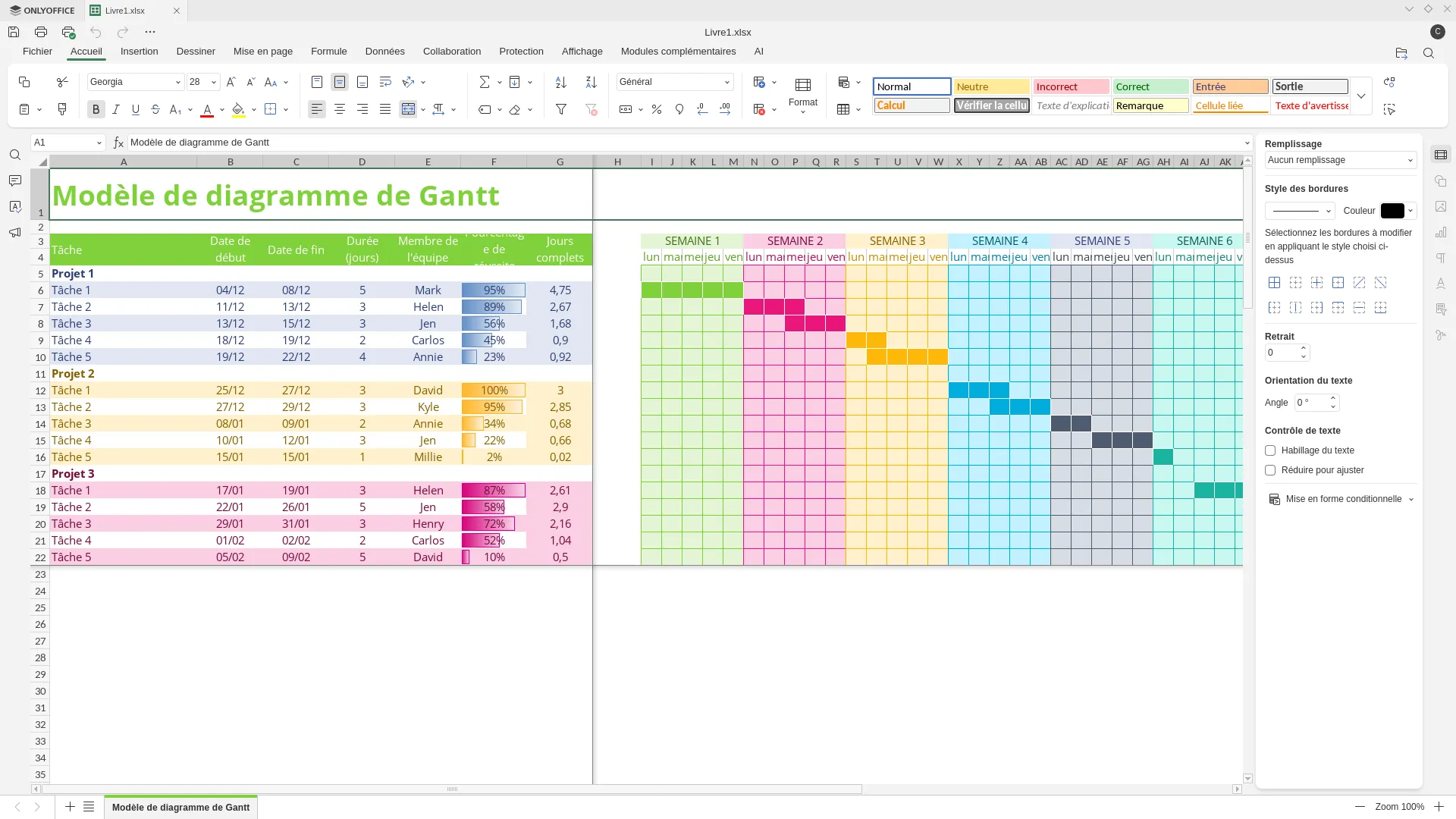
Spreadsheet editor -
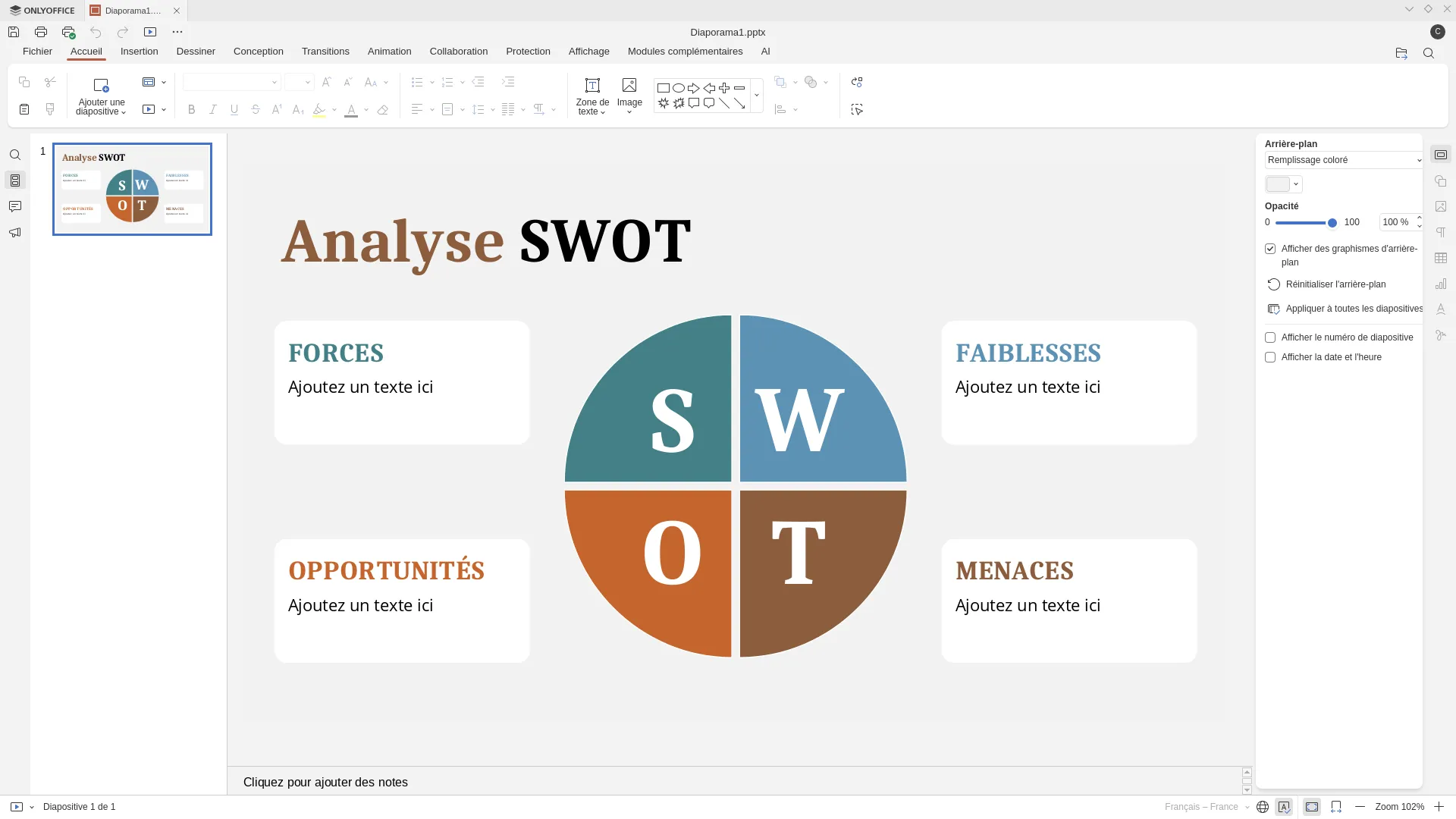
Presentation editor -
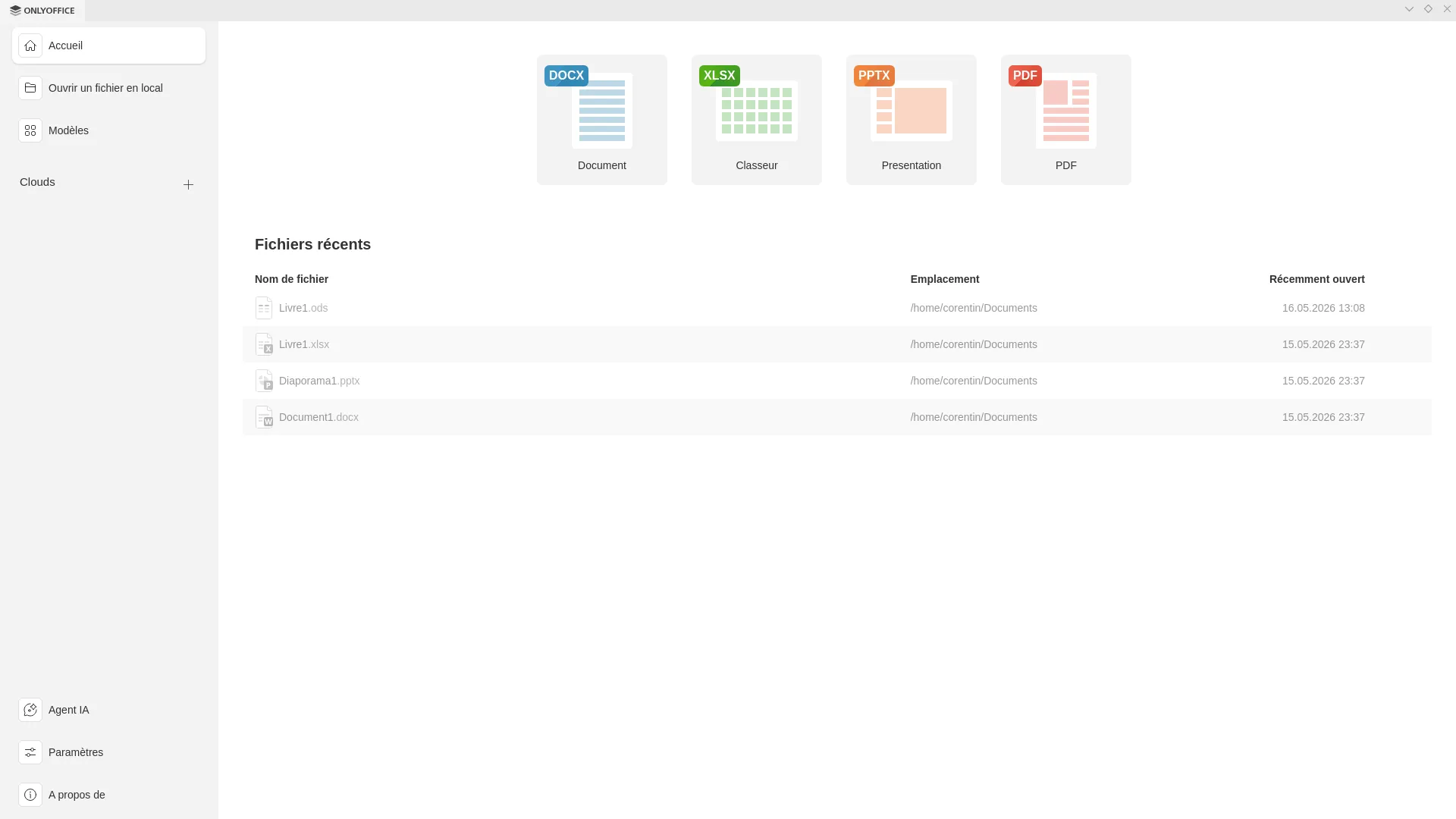
Main menu -
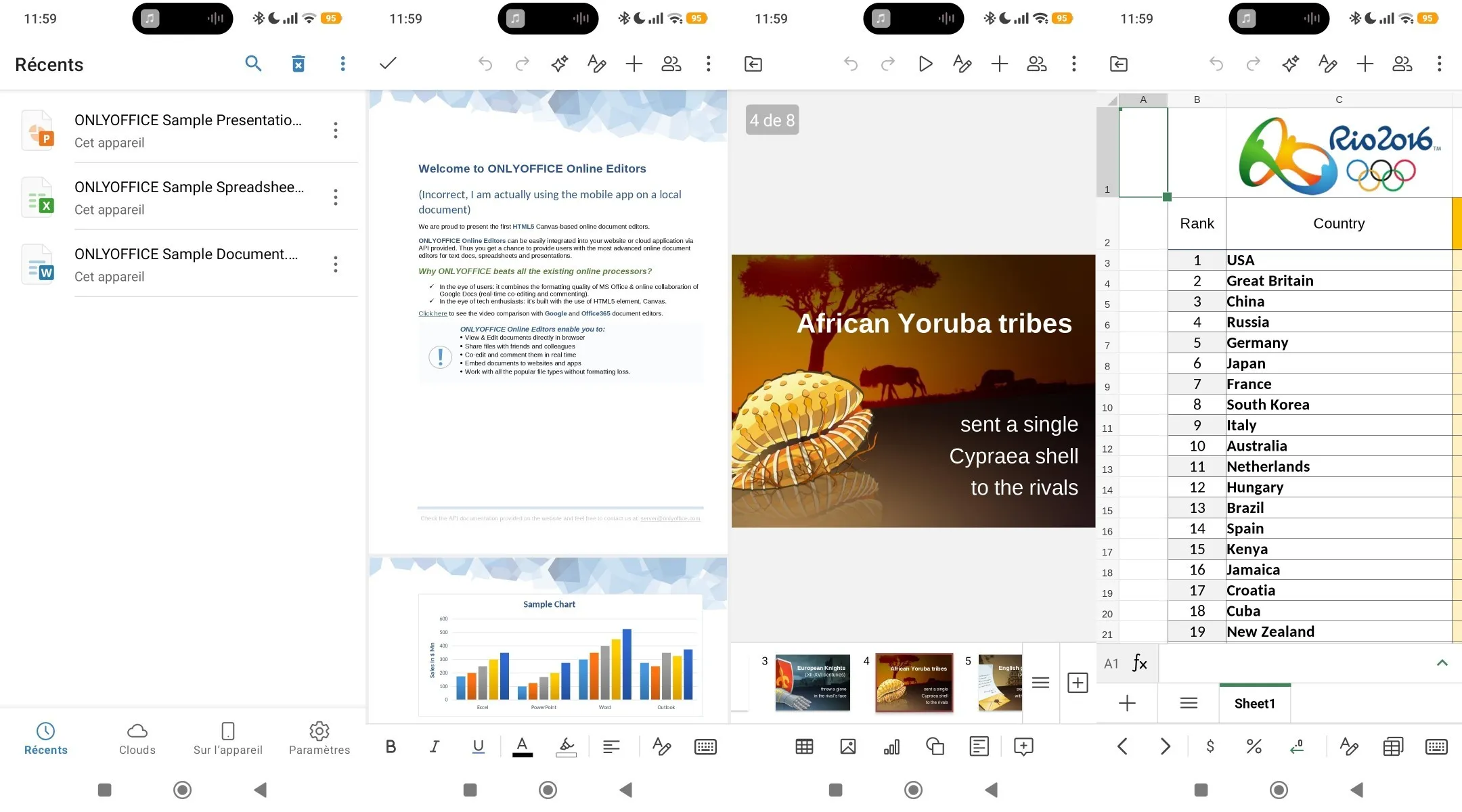
Mobile app in light mode -
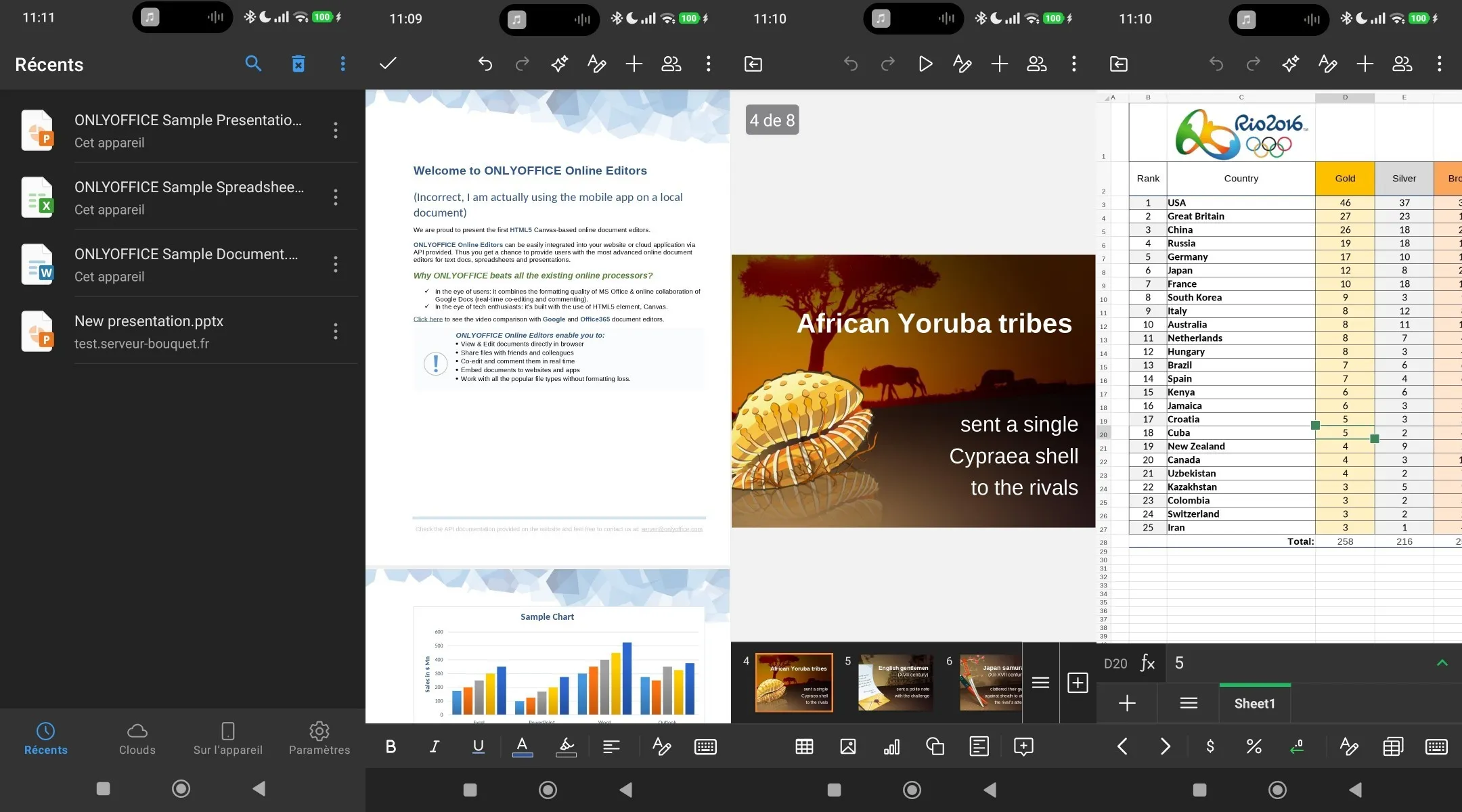
Mobile app in dark mode
The OnlyOffice desktop and mobile app can interface directly with various cloud providers,
including but not limited to Nextcloud, ownCloud, DropBox, Moodle and Seafile.
The usefulness of this feature is situational as in most cases you would have your cloud storage mounted as an extra drive,
but it remains a nice to have.
OnlyOffice also offers a fully fledged PDF editor and AI integration, using both global providers (OpenAI, Anthropic, Gemini, DeepSeek, etc...) and
ones you can host yourself such as Ollama and LM Studio. I haven't tried this feature.
Collabora Online
Collabora Online is a FOSS project throughout. It is based on LibreOffice, which provides the document editing capabilities, with Collabora bringing the extra tooling required for online collaborative editing, as well as a different interface. Being LibreOffice based, Collabora uses ODF by default. Documents in Microsoft's OOXML format are also supported, they can be opened, edited and exported natively, without conversion process, but their formatting is likely to appear different than on Microsoft Office. Just like with OnlyOffice, this is particularly noticeable on long and/or complex documents, where small differences add up, but the content itself is not affected.

Collabora Online uses a fairly classic client-server architecture.
Documents live on the server side and are never sent to the client, the client only receives rendered images
of what the document looks like, the client can then send edits that are applied on the server.
The advantages of this approach are that as edits happen exclusively on the server,
conflicts are much less likely and easier to resolve than with OnlyOffice's approach.
Collabora also claims that it allows for finer access control, with the possibility to watermark the images
the clients receive to track potential leaks.
On the other hand, this design choice means that the slightest loss of connection
will stop your work for its duration. It also means that opening files is slightly slower,
as the server needs to render and send it in image format before the user can properly interact with them.
Finally, the experience is not very snappy, as the user experiences a small but noticeable input delay on every action.
It is particularly noticeable when making changes that affect a large area, such as changing the font of an entire paragraph
for example.
In one of its few departures from Microsoft Office's look,
Collabora chooses to dynamically group its functionalities in various submenus depending on the window size,
improving readability for small screens, at the cost of confusing new users who might wonder where all of their options went!
Collabora also offers an alternative "compact" interface that is somewhat reminiscent of the controls you get on mobile.
-
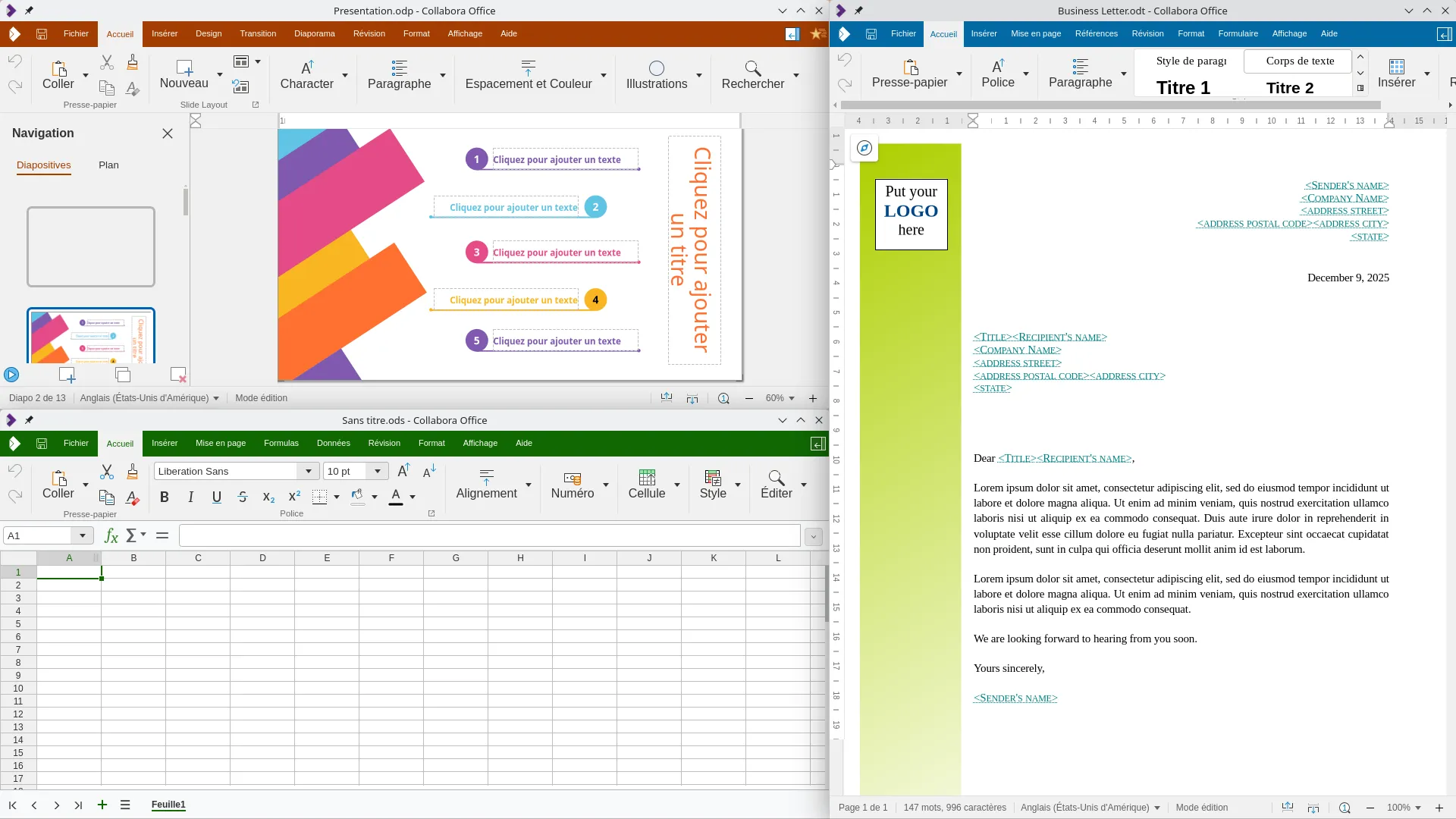
Collabora's Document, Spreadsheet and Presentation editors side by side -
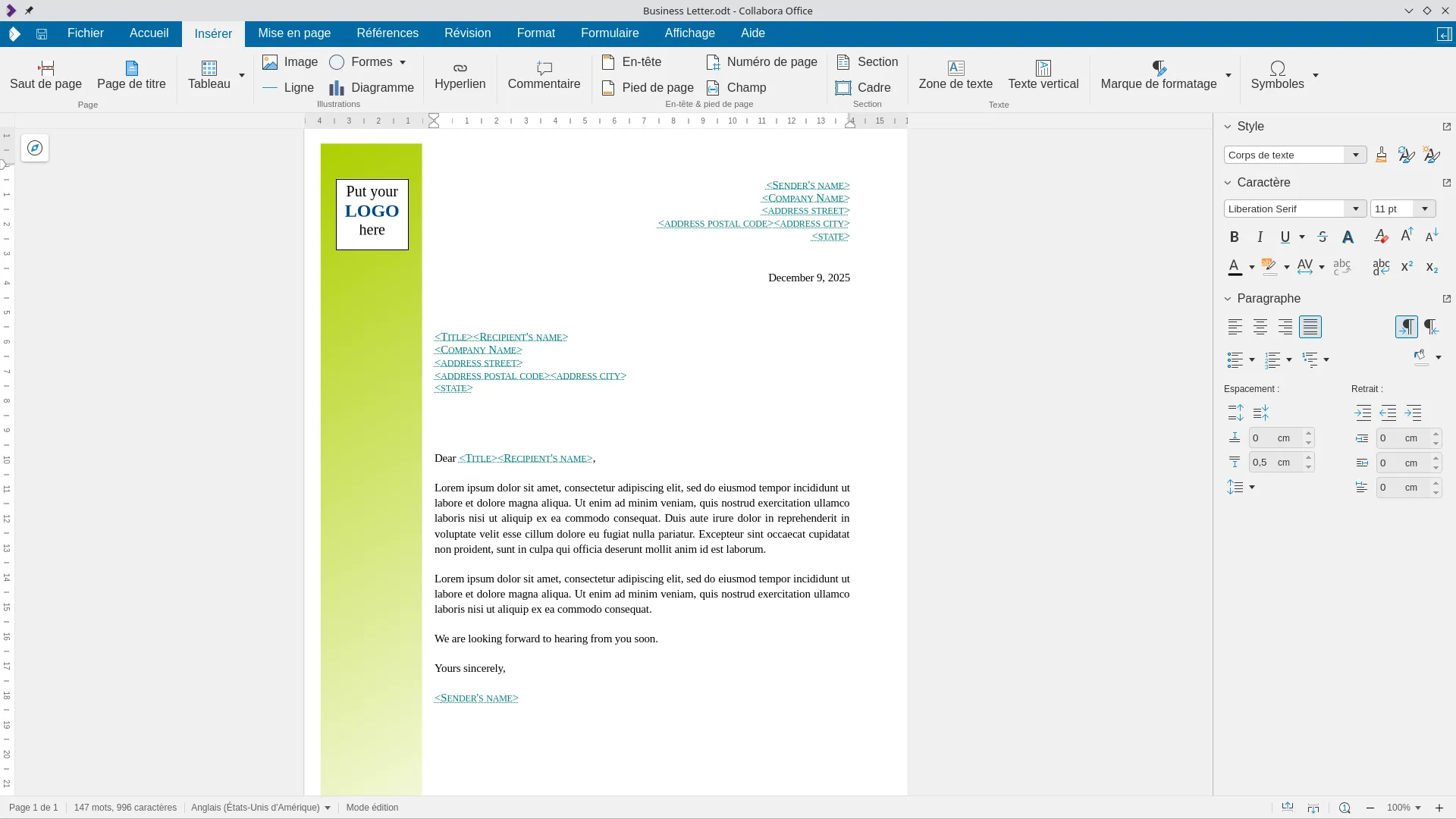
Document editor -
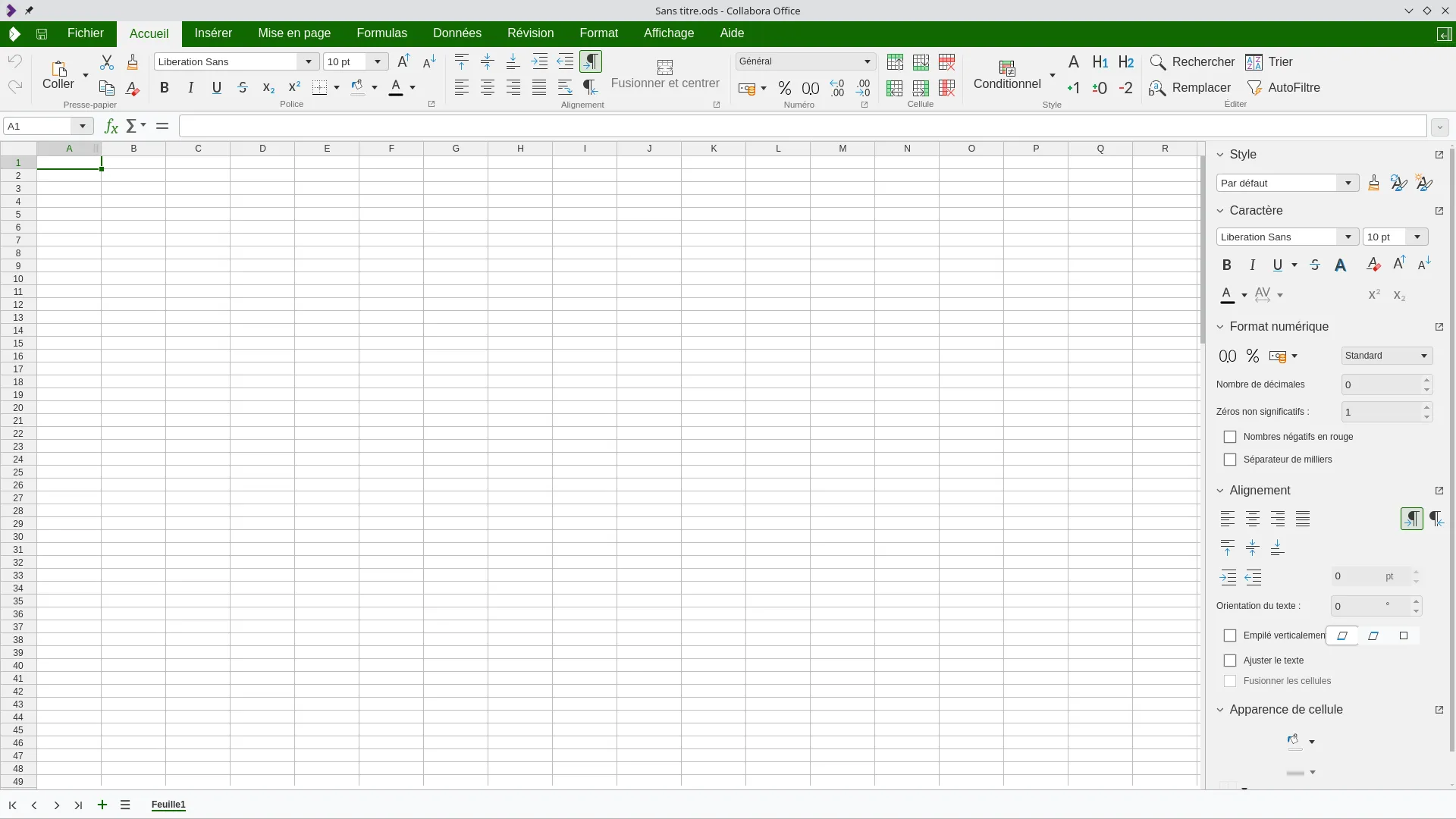
Spreadsheet editor -
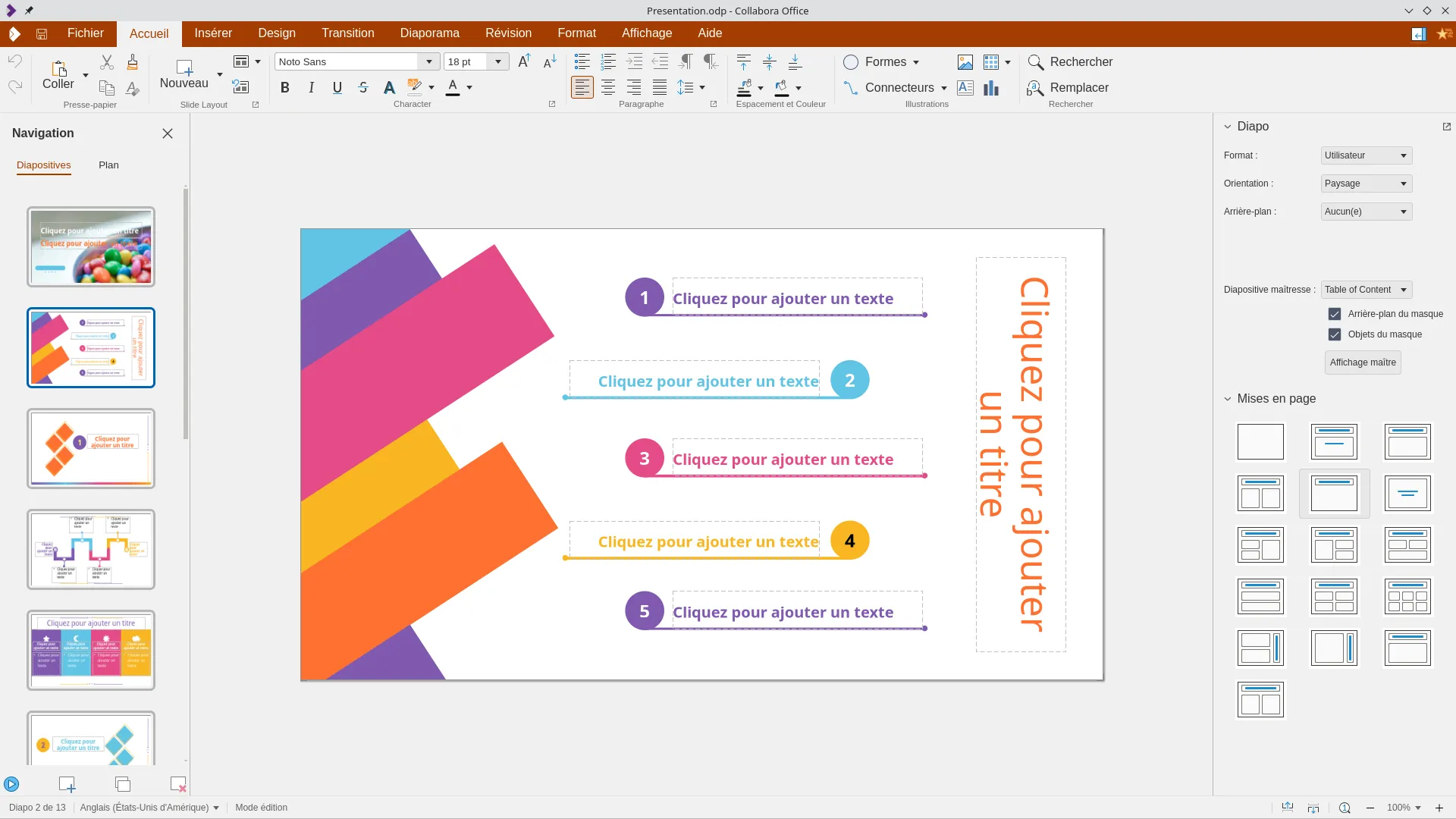
Presentation editor -
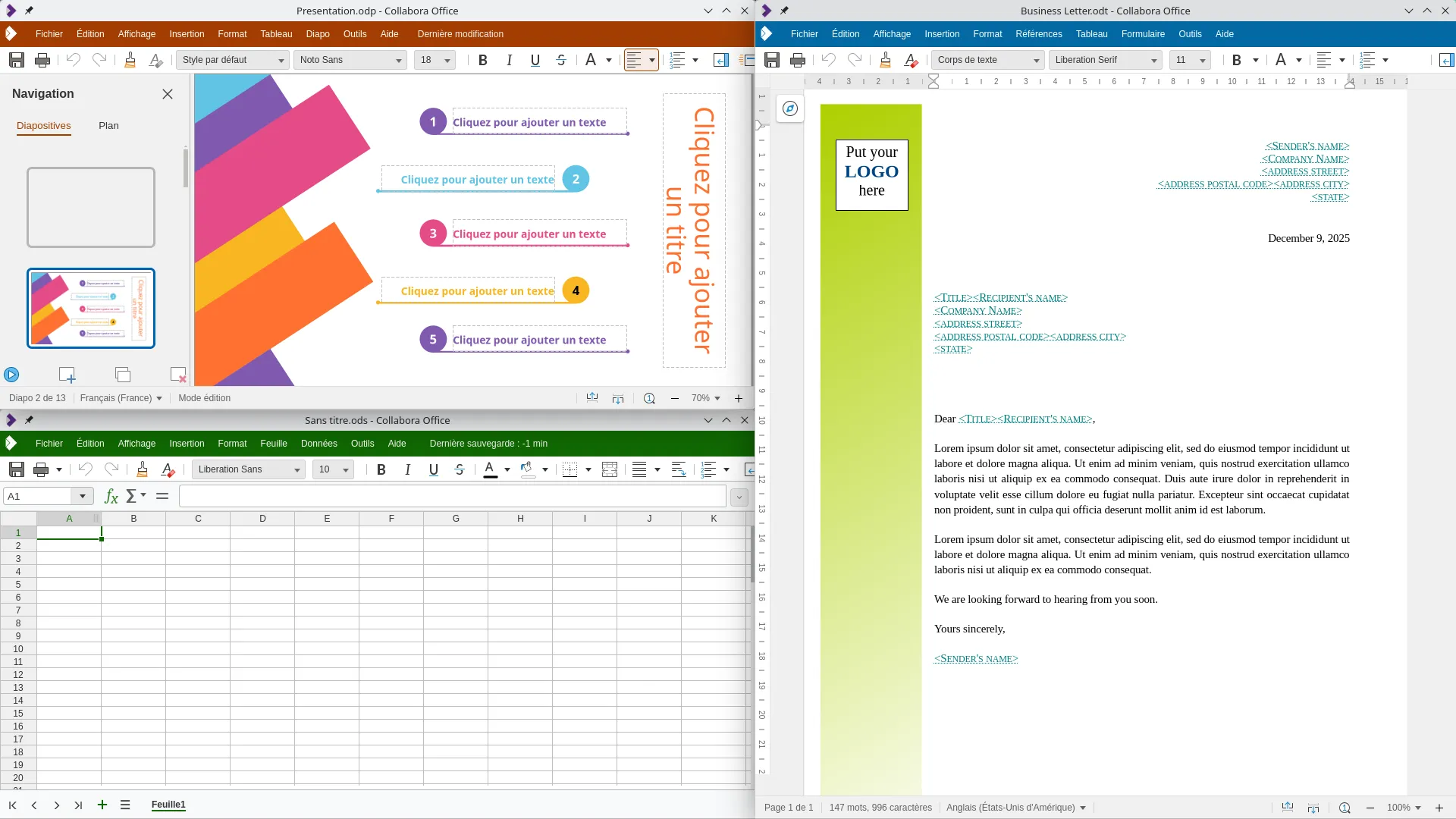
Collabora's Document, Spreadsheet and Presentation editors side by side, with the compact interface -
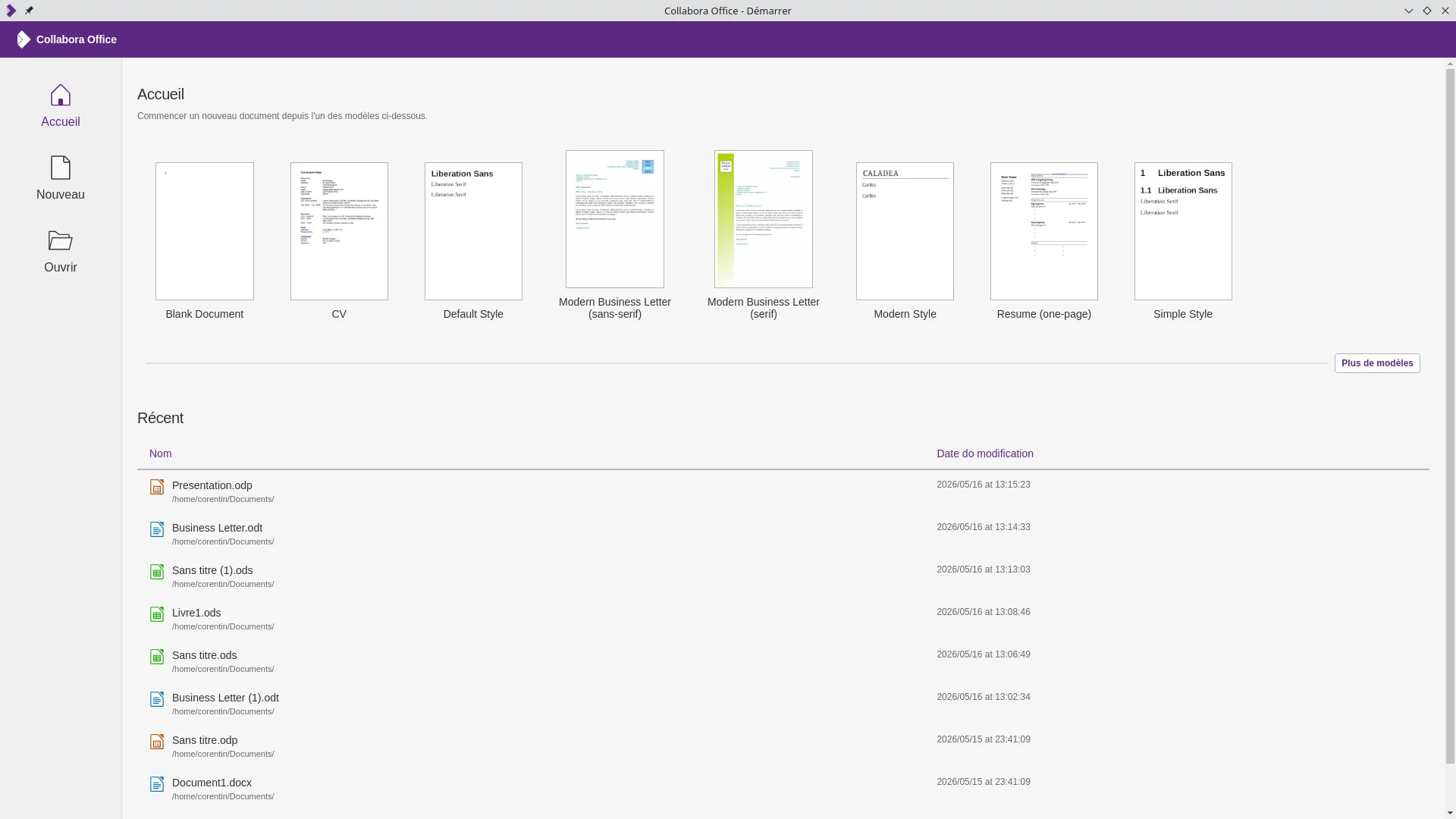
Main Menu -
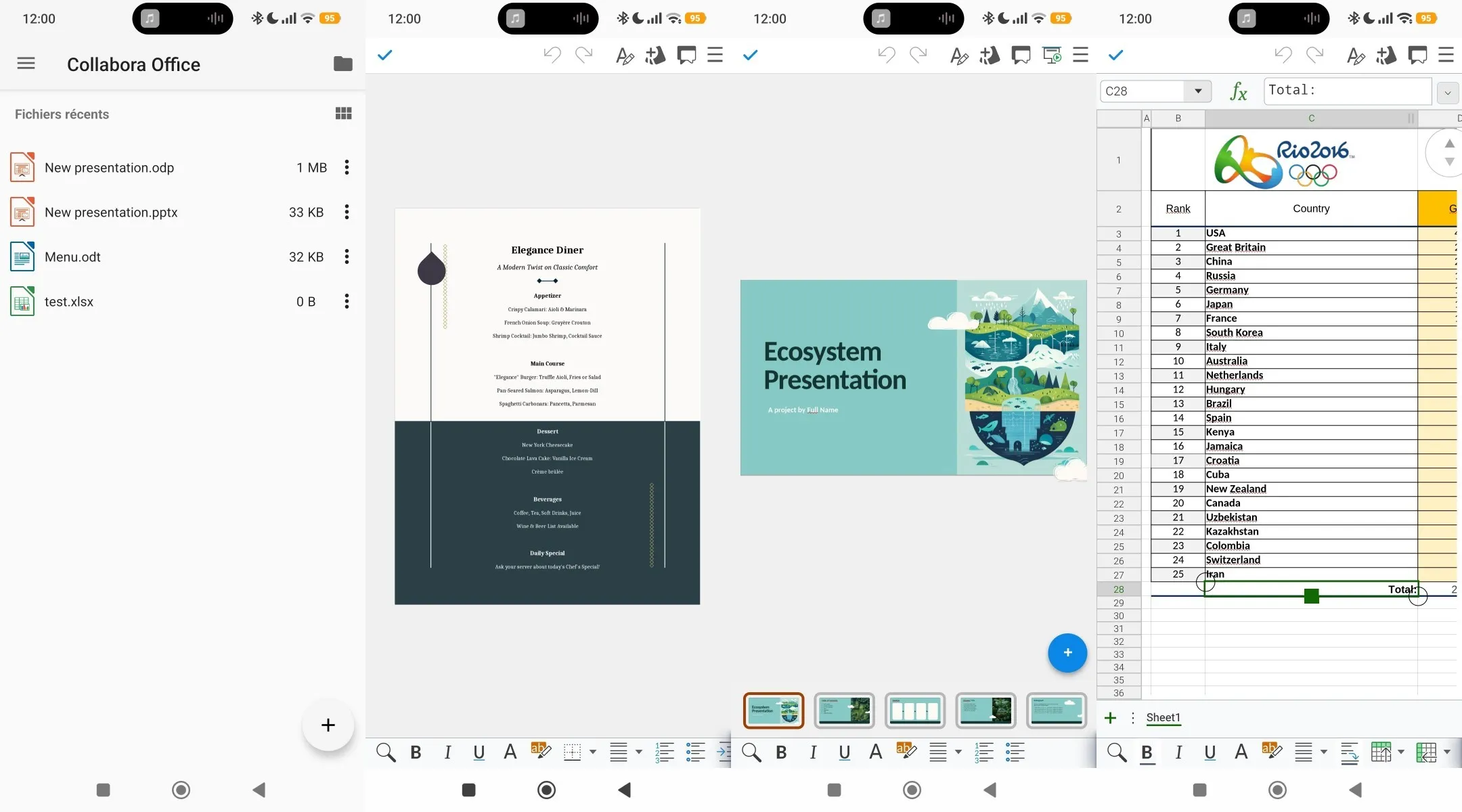
Mobile app in light mode -
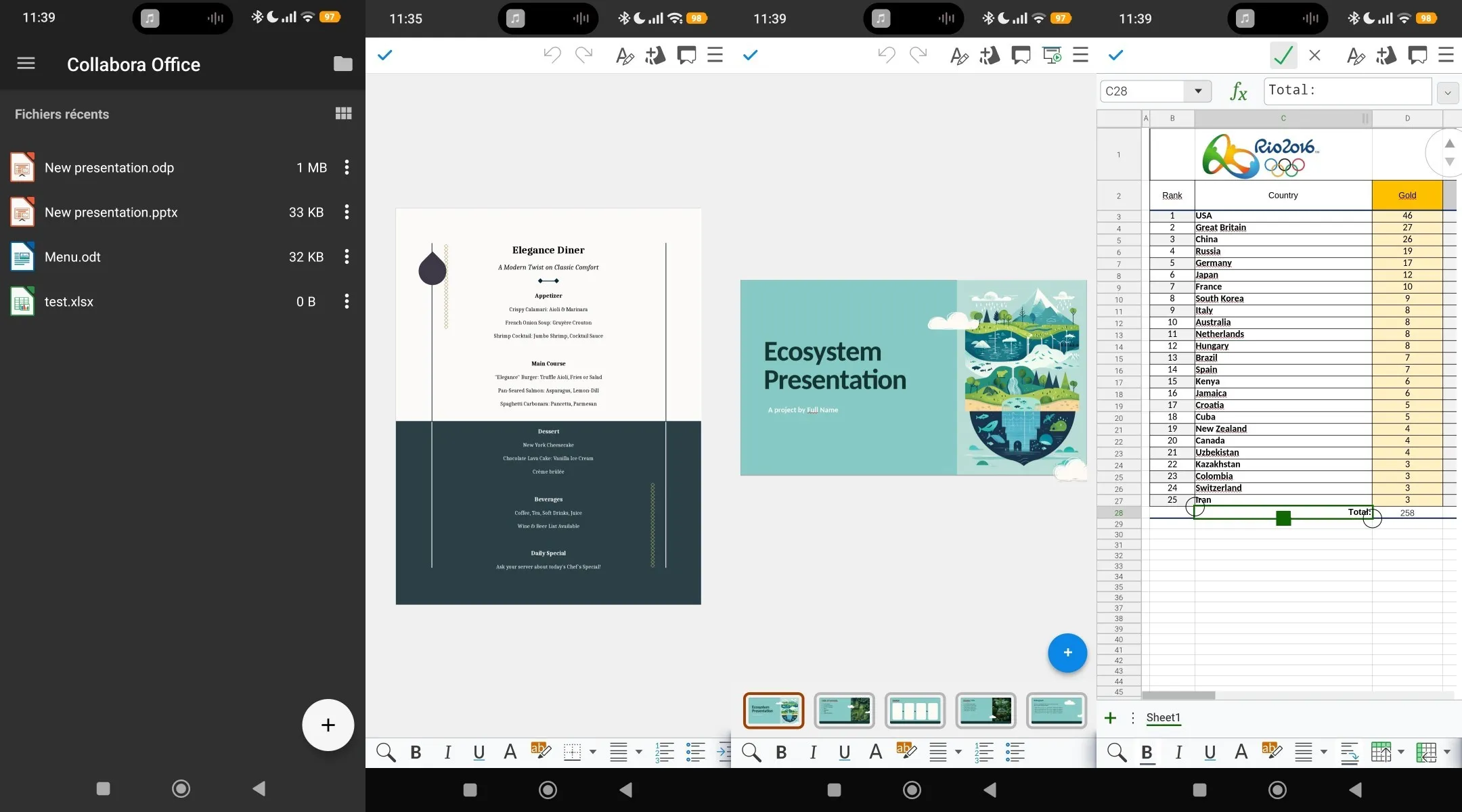
Mobile app in dark mode
Collabora also includes a vector graphics editor based on LibreOffice Draw in its suite of application. It is primarily marketed as a diagram editor and an alternative to tools like draw.io. While most of its features are already included in the document and presentation editors, it remains useful for creating content that can be reused across multiple documents.
Ressource usage
To measure the resource usage on the server side,
I compared two identical Nextcloud instances, except one ran OnlyOffice and the other Collabora.
Both options appears to use similar amounts of memory and CPU usage when at rest.
However, with 10 documents open (the same documents were used in both instances)
Collabora's memory usage rose up significantly while OnlyOffice's barely increased.
I believe this is mostly due to Collabora having to render the documents into images, whereas OnlyOffice does not.
Understandably, the CPU usage was a lot less consistent. I did not bother getting an accurate measurement,
but it remained fairly low in both cases.
A test with a much more substantial number of opened files would have been needed to get meaningful results.
On the client side, the resource usage appeared similar. With 10 tabs open, my browser
showed around 3GiB of average memory usage, with peaks close to 4GiB.
| Situation | Memory usage |
|---|---|
| Collabora at rest | 710MiB |
| Collabora with 10 files open | 1.465GiB |
| OnlyOffice at rest | 640MiB |
| OnlyOffice with 10 files open | 655MiB |
My preference
Let's start by stating that Collabora Online and OnlyOffice Docs provide
essentially identical core functionalities, and I am satisfied with both of them.
Personally, I prefer using ODF file formats,
and dislike having to convert my files from one format to another to be able to edit them.
This is an advantage for Collabora.
However, Collabora's interface has a significantly larger input delay than OnlyOffice, which makes it less pleasant to use.
Assuming a decent internet connection, it seems to me that OnlyOffice's architecture offers less drawbacks than Collabora's.
On the server side, OnlyOffice depends on multiple external services,
including two databases (PostgreSQL and Redis) and message broker (RabbitMQ). Collabora, on the other hand;
is pretty much monolithic, which makes it theoretically easier to host and integrate.
In practice, for small deployments such as mine, OnlyOffice provides a single docker container with all the services backed in
(Which goes against the principle of containerization: one container per service. Disgusting, I know, but it's convenient).
In many cases, the software Collabora or OnlyOffice integrates with will offer a one click (or at least very easy) install for the service,
making the complexity of deploying the standalone version completely irrelevant.
In conclusion, I do not really care, both are fine though imperfect.
My server has enough ressources to handle Collabora, and the hassle of converting files from one format to another with OnlyOffice
feels about as annoying as Collabora's input delay.
I'll be happy to use whichever one integrates best with the file storage software I use.
My ideal collaborative document editor would have OnlyOffice's low latency and resource usage while using the ODF file formats as defaults and maintaining compatibility with OOXML formats. Luckily for me, this is one of the Euro-Office project main objectives! So I'll probably have a very good look at it when it releases!
Comparison to non self-hosted options
Google Workspace
I think this one is very straightforward. In my opinion, other than its integration with the whole Google ecosystem, and the fact that everyone already has a Google account, there is nothing that Google Workspace does better than OnlyOffice or Collabora. Google Workspace uses its own proprietary file formats, so a conversion or export is required for cross-compatibility with other software. Furthermore, Google Workspace suffers from the same, if not worse, formatting issues when converting files. Finally, in terms of functionalities, Google Workspace applications are much more limited than the alternatives.

Microsoft Office 365
Microsoft Office 365, or whatever Microsoft has decided to call it this week,
has been the standard for many years, and for good reason: it has a good interface, a complete feature set, and you
can be confident that anyone on earth who opens your file will see it exactly the way you designed it.
While this last point is not quite as true as it was 10 years ago, but OOXML documents remain by far the most widely used format.
Just like Google Workspace, Microsoft Office benefits from being integrated with the wider Microsoft ecosystem.
Even when focusing on the core functionality it isn't easy to find something that the alternatives do better, still, I can find a few.
First and very obviously comes the support for ODF formats. Secondly there is the Linux support, as Microsoft
does not offer native apps for it.
Finally and most importantly, the online editors for OnlyOffice and Collabora are more powerful than Microsoft Office's,
which has slightly limited functionality compared to the native application.
However, this difference will only be noticeable to the most advanced users.

While there is very little that OnlyOffice and Collabora do better than MS Office, there isn't that much they do worse either! If you look it up, MS Office is still the most powerful option, especially Excel, but unless you know what a "Power Pivot" is, you will probably never notice. Notable exceptions are the built-in translation feature, and the "morph" transition in PowerPoint. For compatibility's sake, it must also be noted that MS Office, Collabora and OnlyOffice all use different languages for macros.
Full drive solution
We've had a look at the main tools used for collaborative document editing, one of the features I am looking for, but these solutions alone can't provide remote storage or synchronisation. Let's now look at the software they integrate with to provide the full set of functionality of a collaborative productivity suite that I am looking for.
CryptPad
When I first set up my server, CryptPad was the first "Drive" software I ran.
The reasoning behind my choice was: "I need something that works, I'll find the option that suits me best later".
In other words, I chose it almost randomly.
This temporary solution has proven quite definitive so far, as I still haven't finished testing all the other options.
So, what does CryptPad do?
CryptPad is a FOSS, collaborative productivity suite with
end-to-end encryption.
It integrates OnlyOffice for document editing and draw.io for diagrams.
CryptPad also offers its own tools for Kanban boards, a whiteboard, rich text,
Markdown and HTML editors with a preview function.
There is also a very powerful form builder that can export results to multiple formats,
including directly to a spreadsheet.
In addition to document-related functionalities, CryptPad includes a calendar, team spaces and a contacts book.
This is a very comprehensive set of features.
-
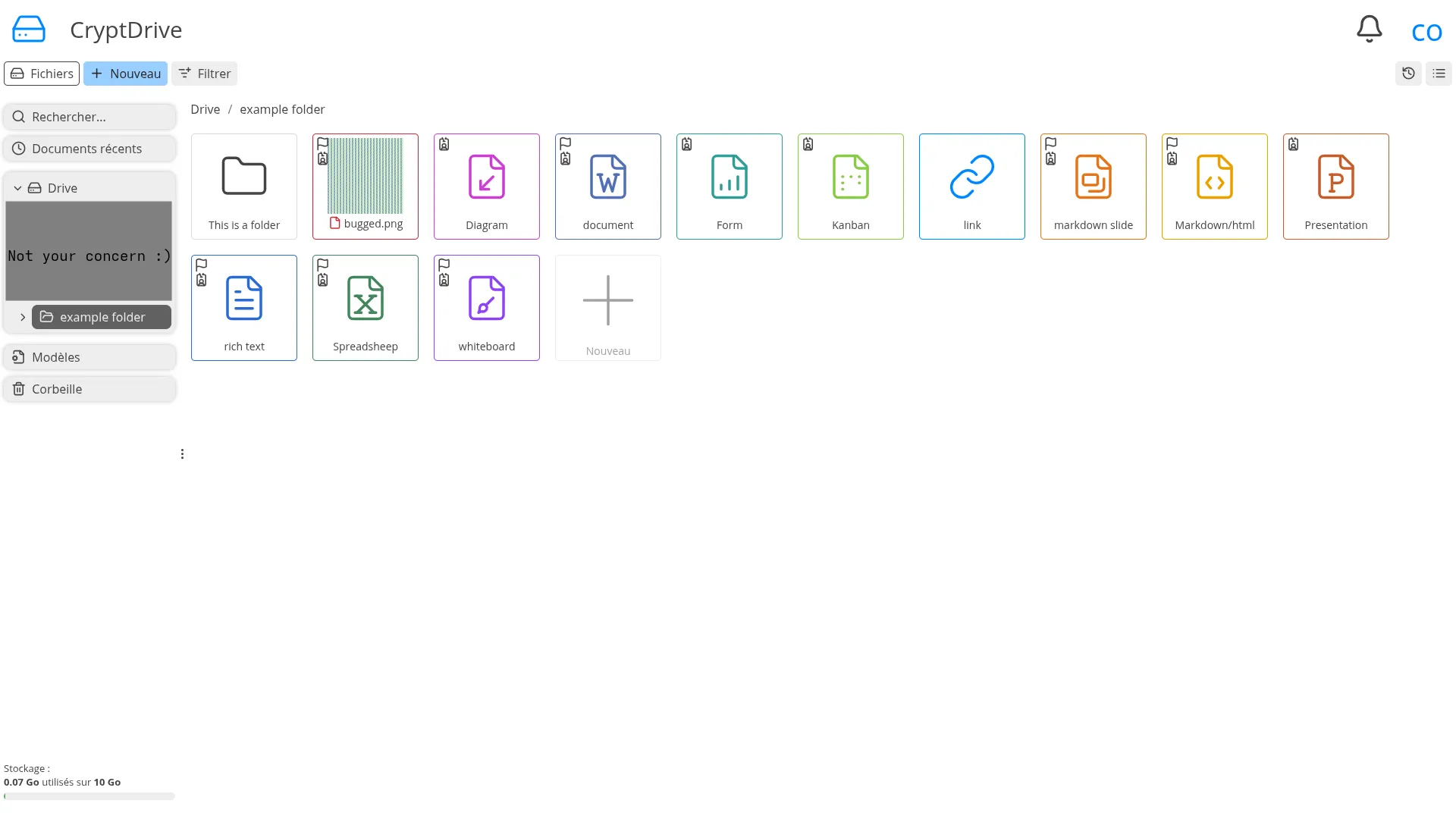
CryptDrive -
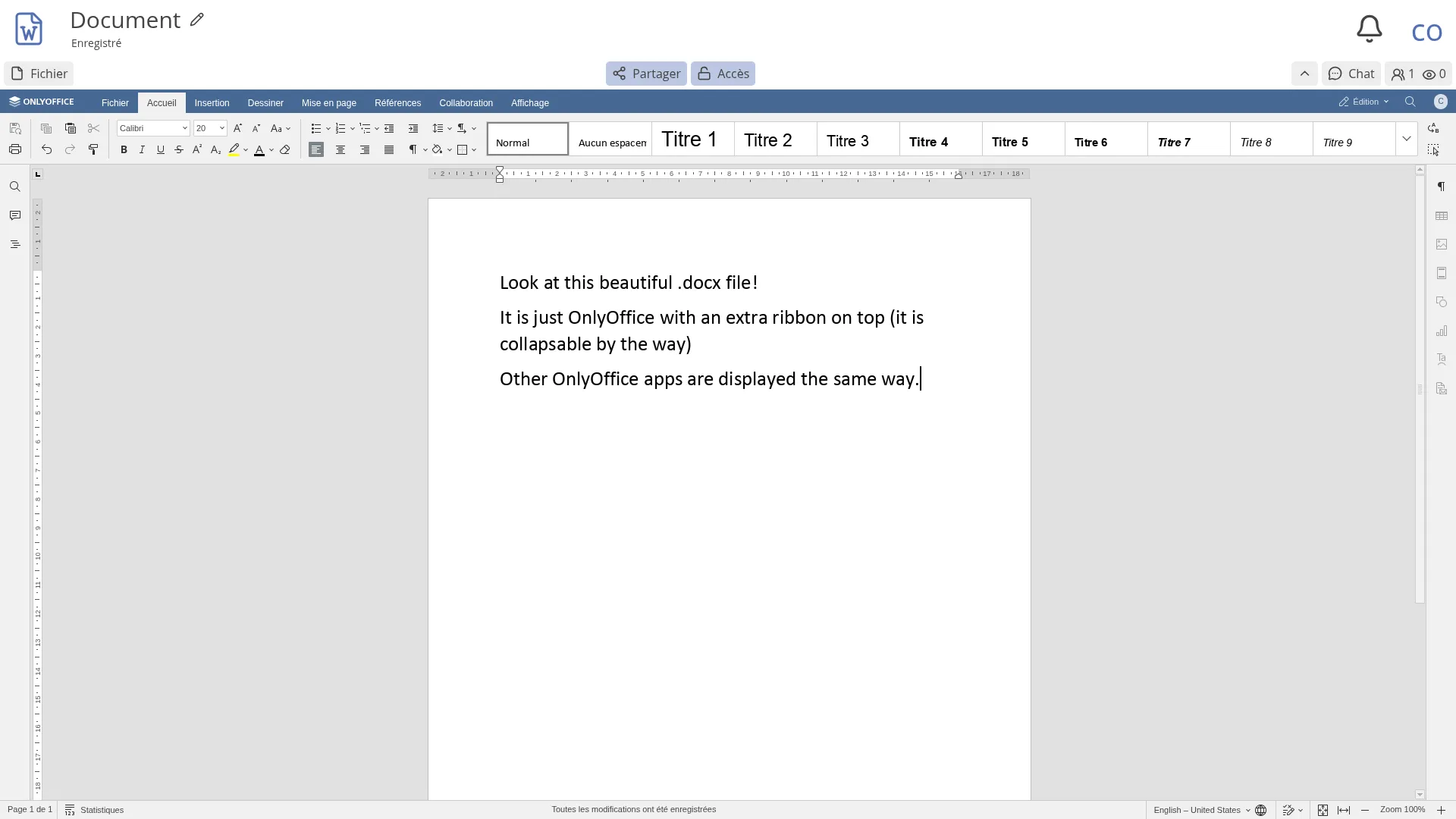
OnlyOffice integration -
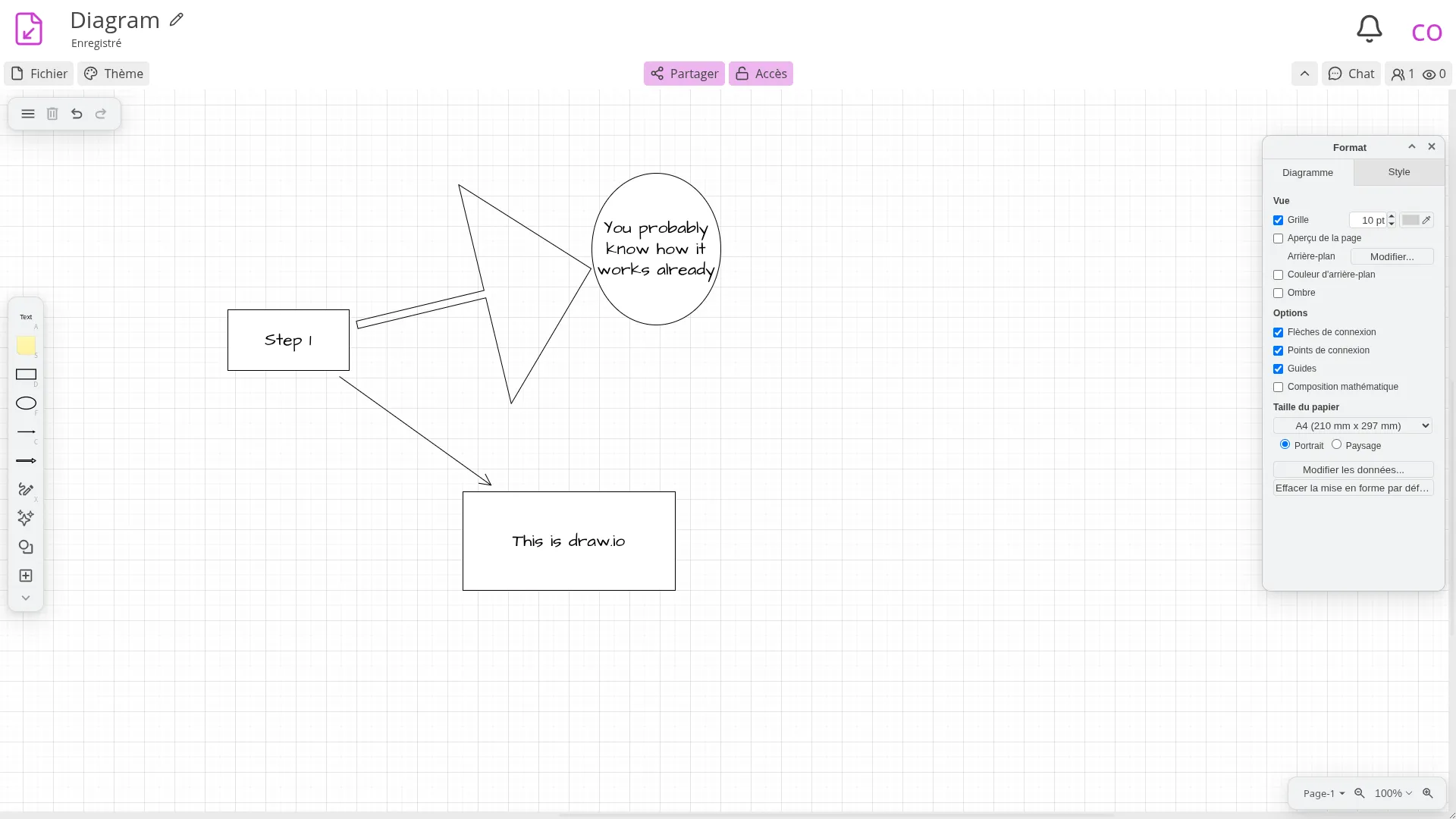
Draw.io integration -
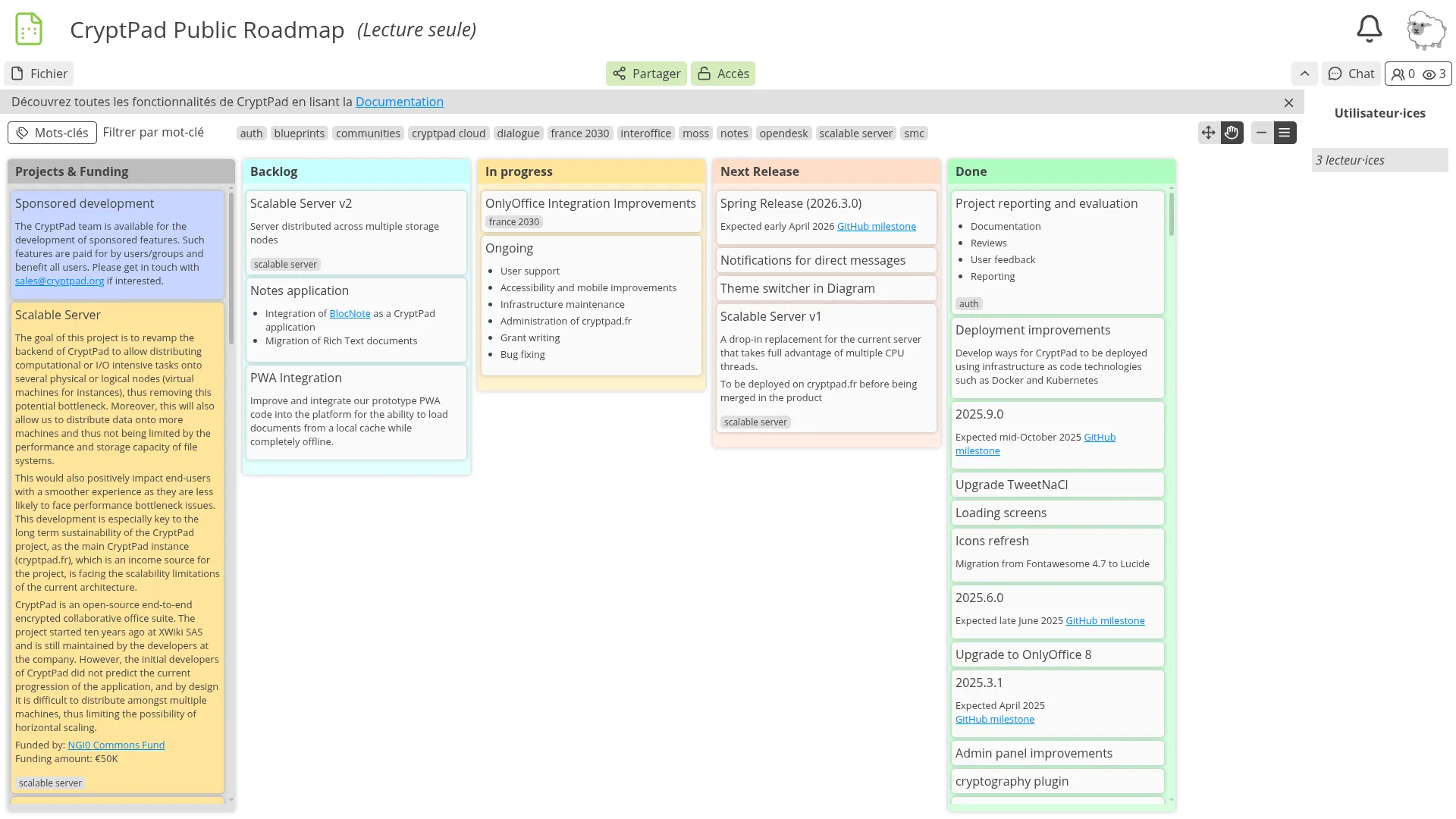
Kanban tool -
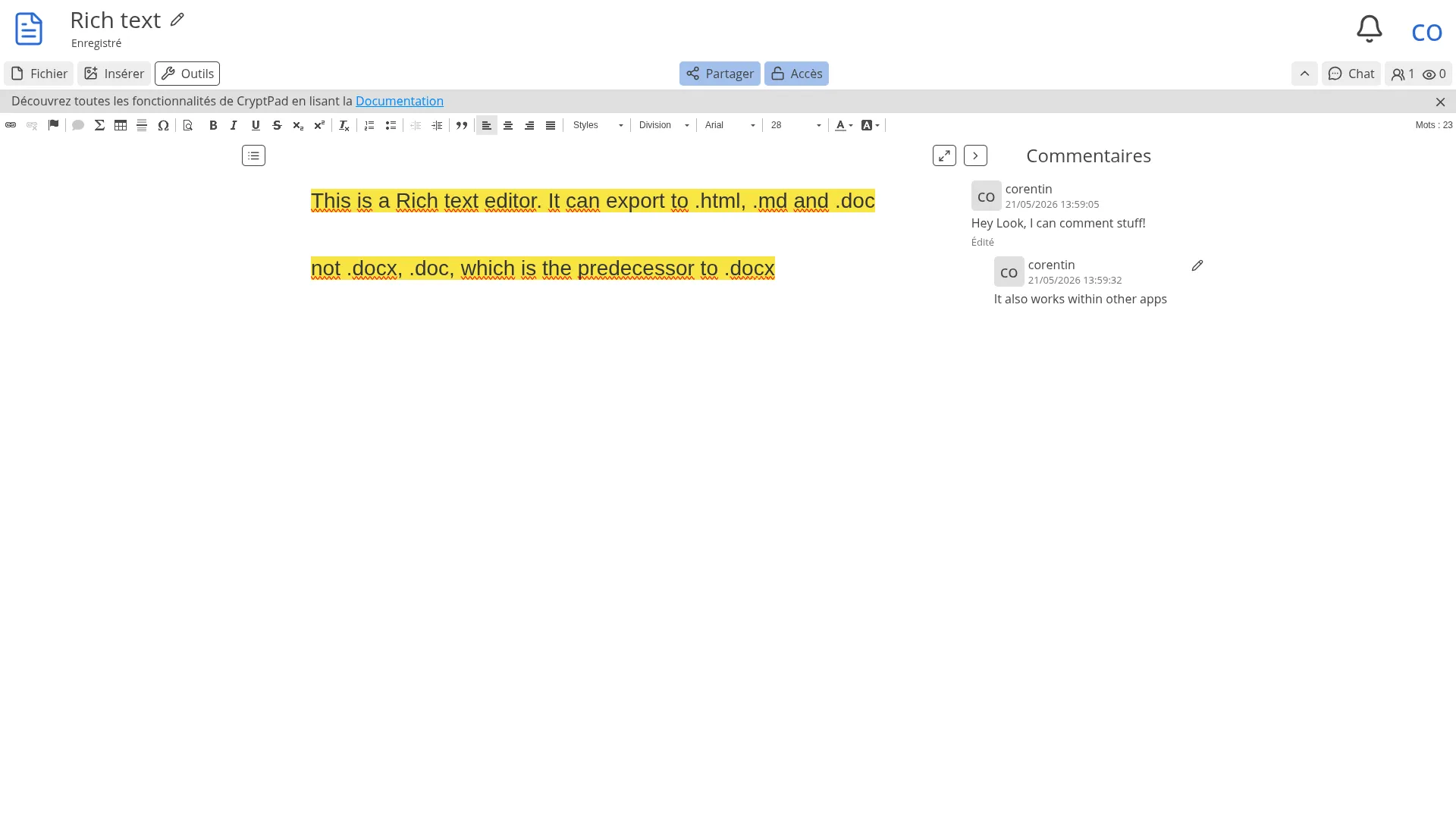
Rich text editor -
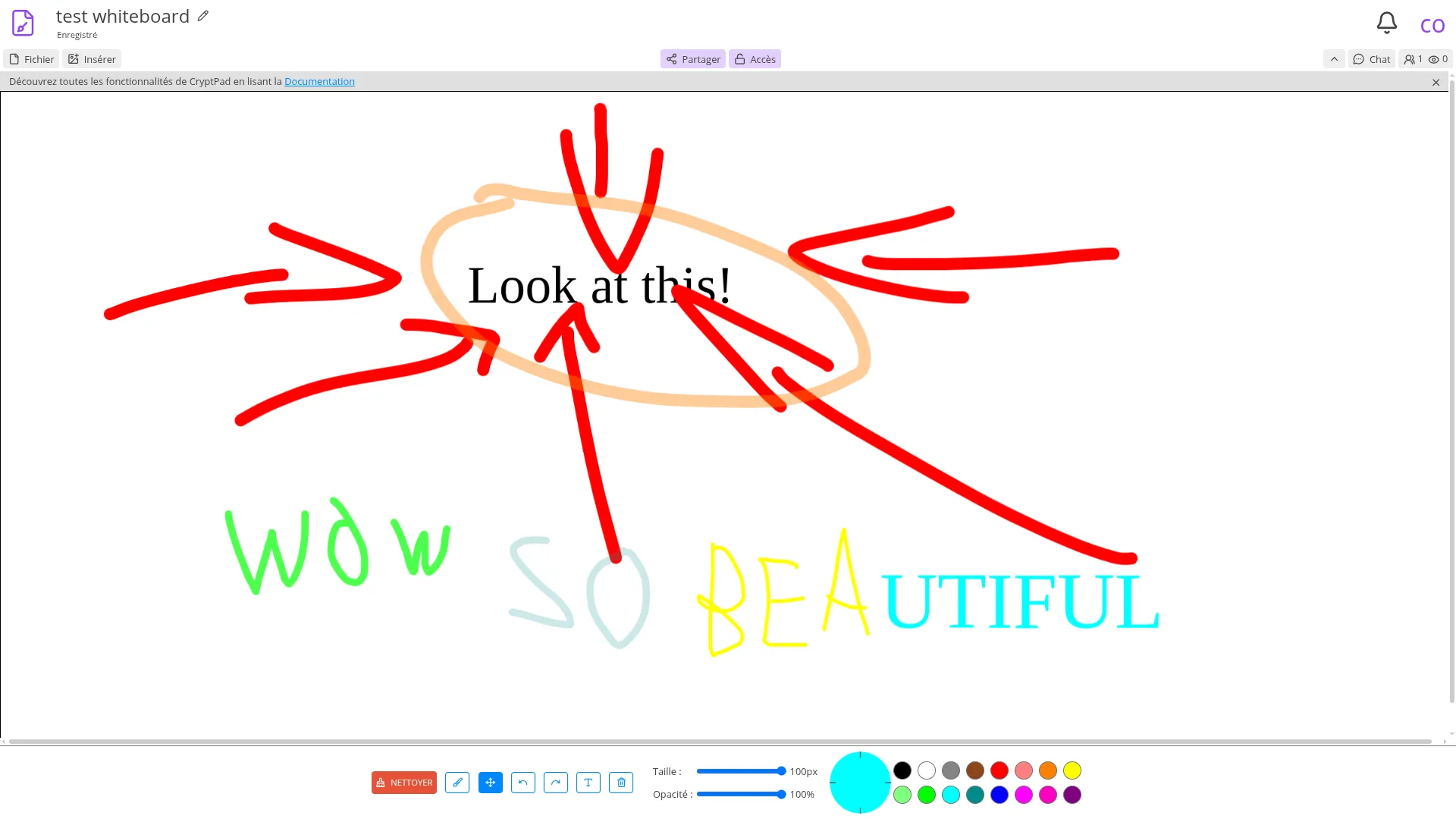
Whiteboard -
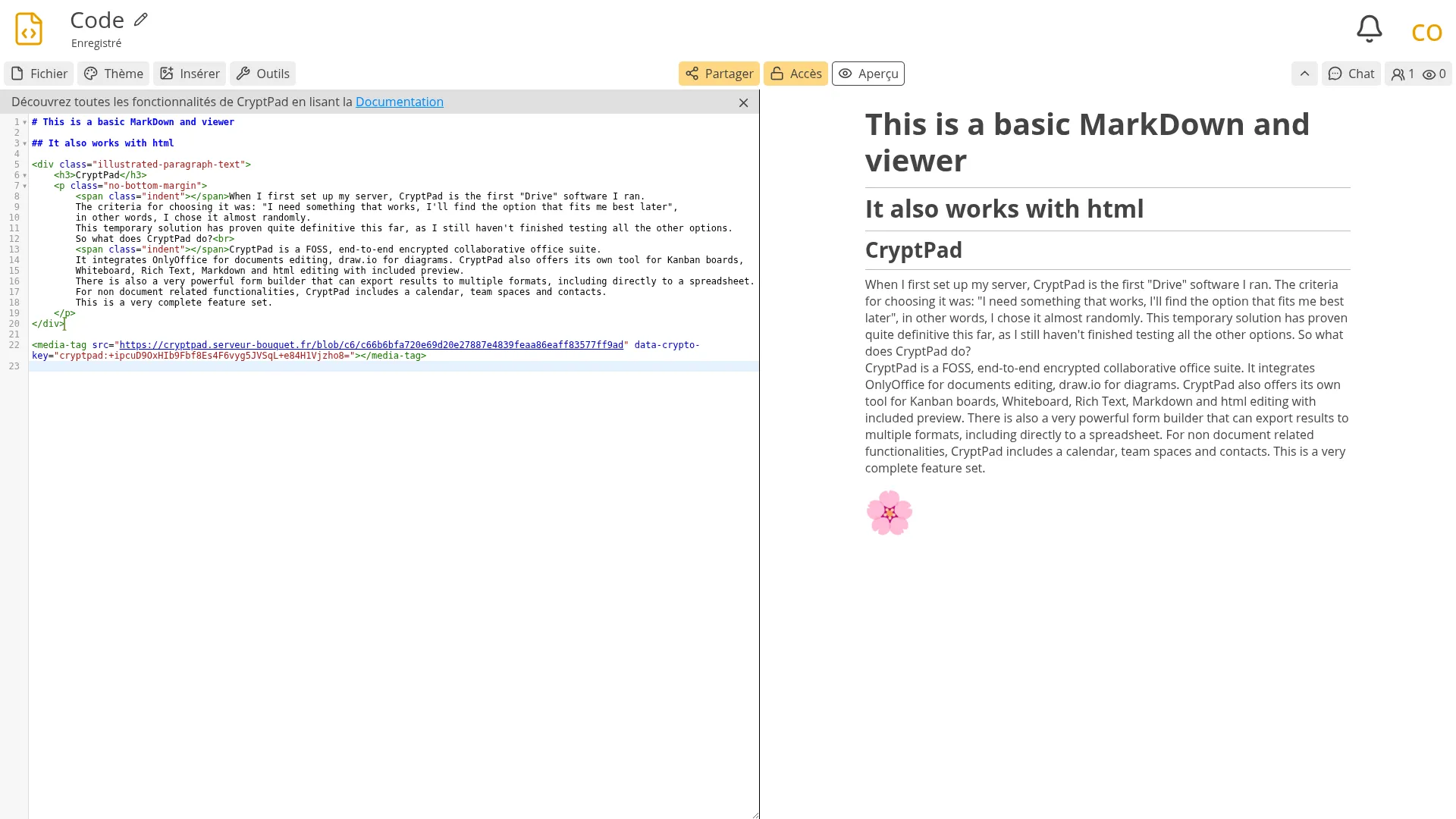
Markdown editor -
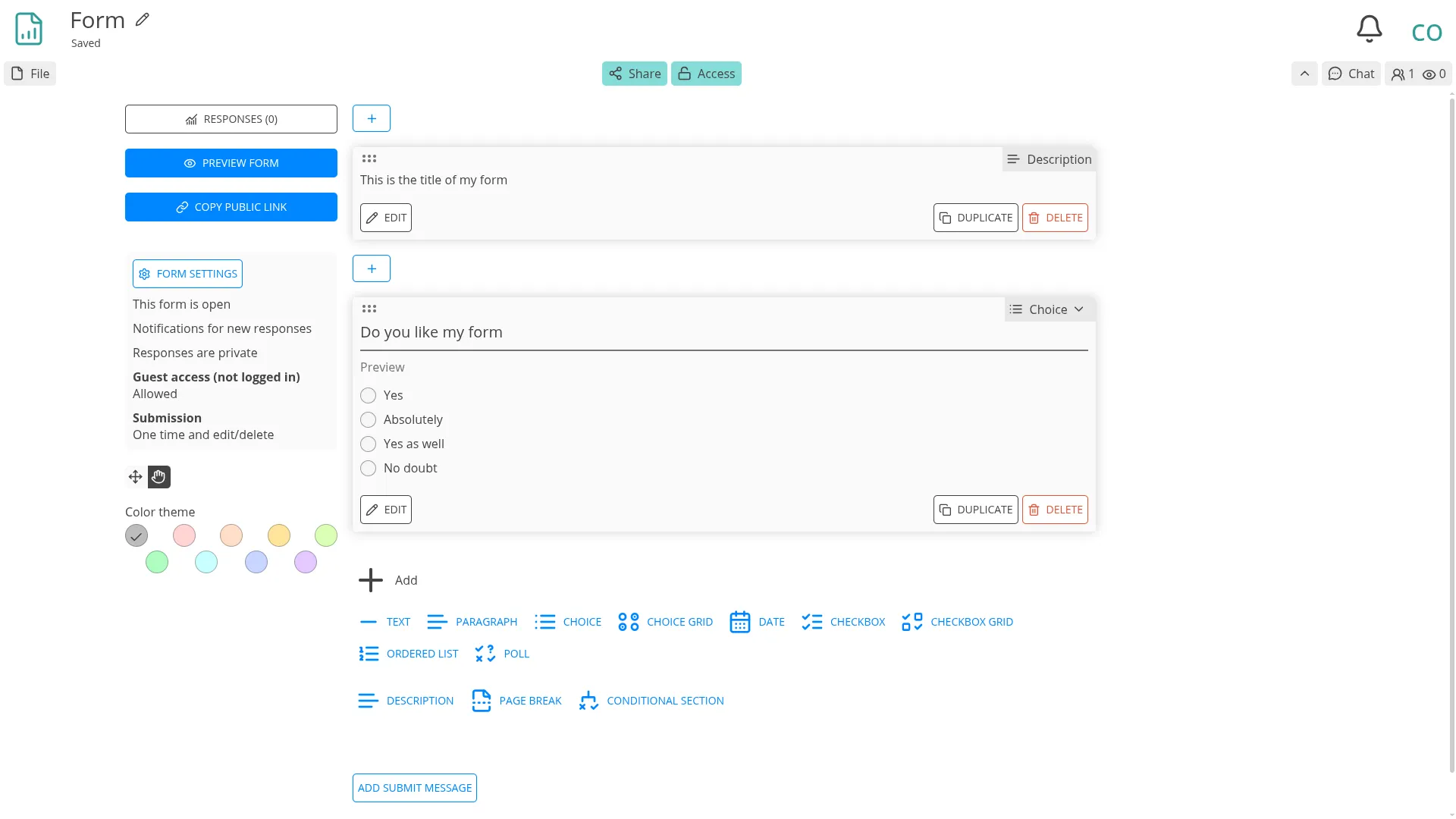
Form builder -
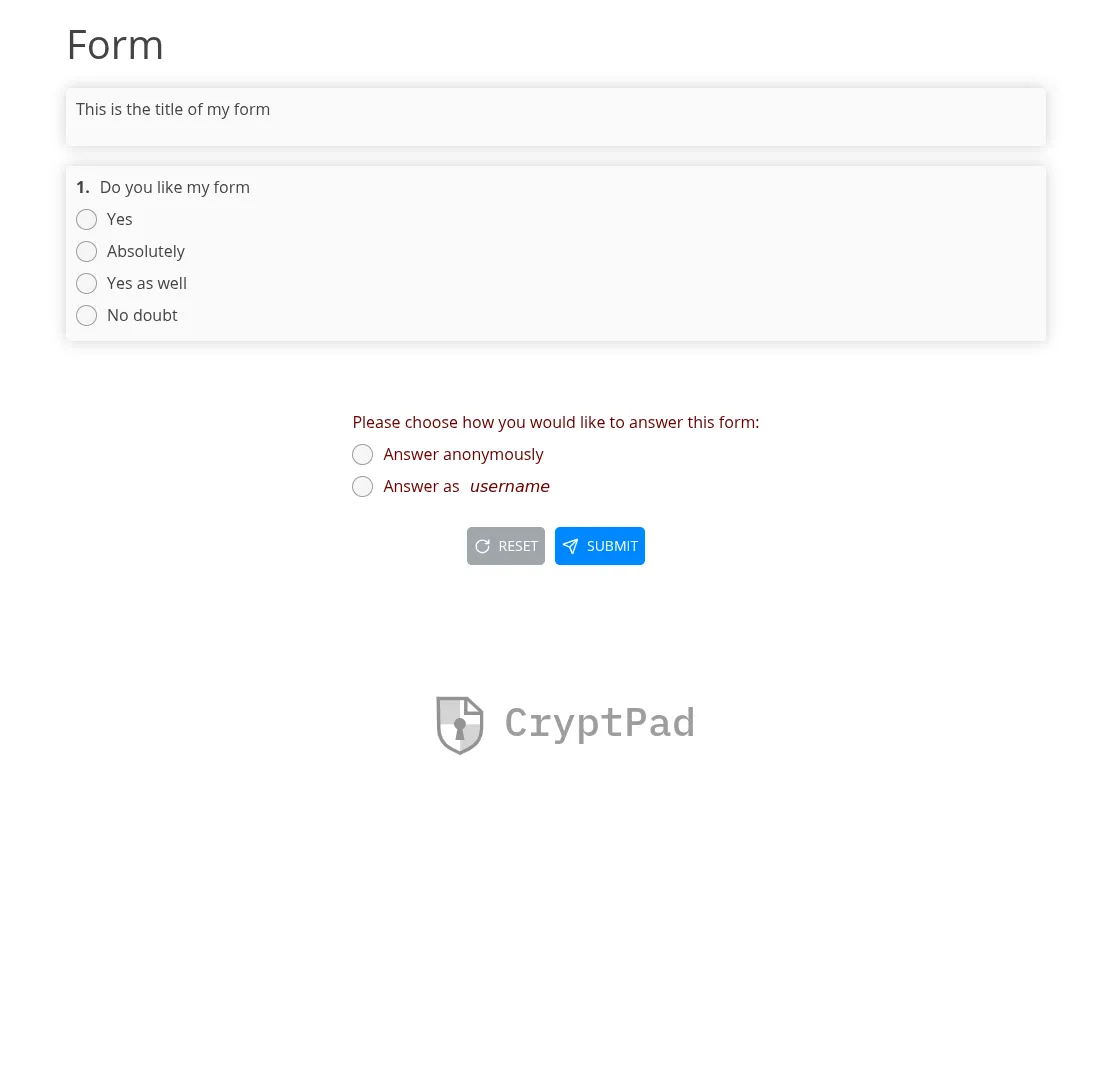
Example form -
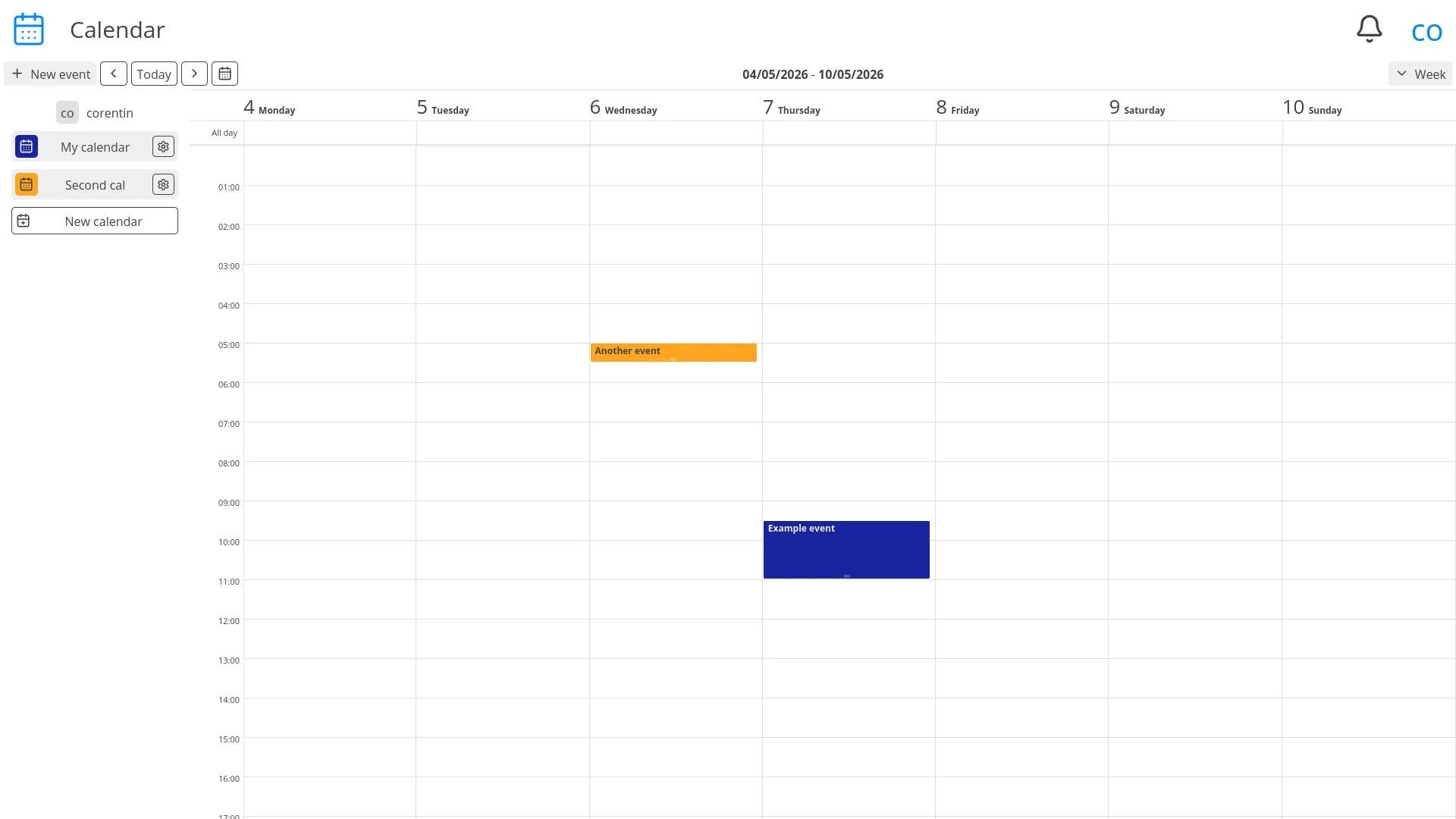
Calendar
CryptPad's biggest selling point compared to the alternatives is its end-to-end encryption,
but it also has a few drawbacks. First among them is the lack of offline applications.
Due to the encryption, neither the OnlyOffice app nor generic file synchronisation tools can interface with it.
As CryptPad does not provide its own apps, it can exclusively be used online, in a web browser.
This means that it cannot automatically synchronise files to and from remote storage,
and does not provide all the features I am looking for. I have been using Syncthing to make up for this.
It must also be noted that I am already hosting services that are not end-to-end encrypted,
meaning the users of my server already trust me with their data,
which somewhat defeats the purpose of end-to-end encryption.
CryptPad would be great for enterprise use, either as a self-hosted service,
or using one of the public instances, where end-to-end encryption would be truly useful.
For my specific use case however, it isn't ideal.
Syncthing
Syncthing is not a productivity suite, and does not pretend to be.
I am still mentioning it here because this is my website and I do what I want
because I've been using it alongside CryptPad to synchronise and backup files to my server.
Syncthing is a continuous file synchronization program.
It synchronizes files between two or more computers in real time.
Official clients exist for Windows, macOS, Linux and BSD, with community clients available
for Android and iOS. It is a "set and forget" kind of software, once its configured,
you may never need to interact with it again.
It is aimed at technical user, but is easy enough to configure.
I really appreciate that it does not use a lot of battery on my phone.
Great software all around.


Nextcloud
Nextcloud is probably the most obvious and popular open source option for a self-hosted personal cloud.
Then why didn't I install it first?
Mostly because I suspected I might end up using it anyway, and wanted to try other options first.
Nextcloud offers all the features I expect from a collaborative productivity suite,
through well maintained client applications for both mobile and desktop.
It comes with Collabora by default, but works just as well with OnlyOffice.
Nextcloud also offers a floury of organization tools, including contacts, a calendar, a Kanban board, a note taking app and a task management app.
All of them tightly integrated and interoperable.
These were only the default apps, thanks to its large community,
Nextcloud has many first and third party apps that provide a wide array of additional features.
When it comes to a collaborative productivity suite, Nextcloud fills all my needs.
I can only find one minor nitpick: the interface, while functional and easy to use, is not as polished as some alternatives,
and lacks a bit of responsiveness, without being slow either.
Nextcloud is the best option I've tried this far,
but I haven't migrated to it yet as I still have more options to try.
-
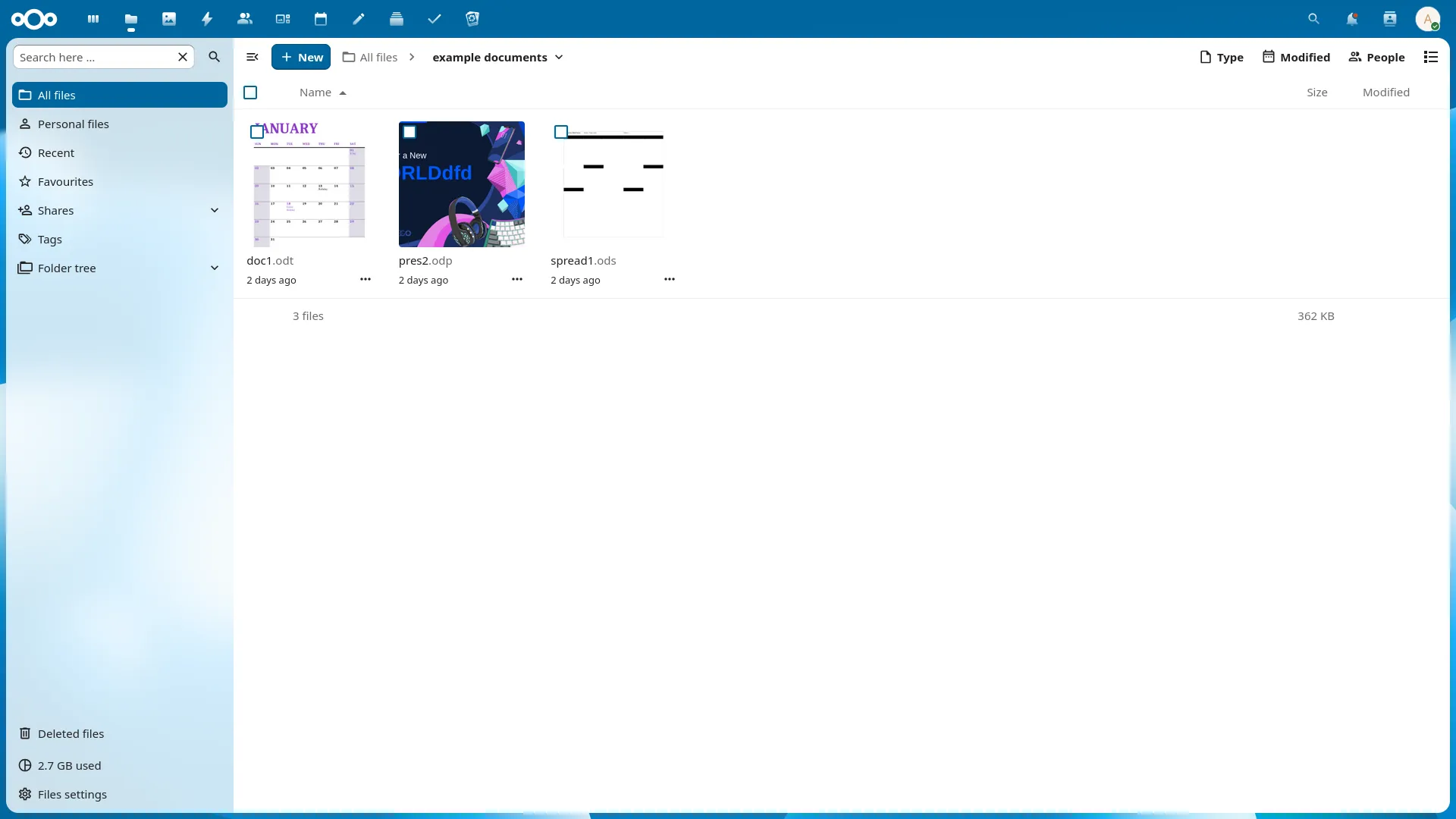
Drive -
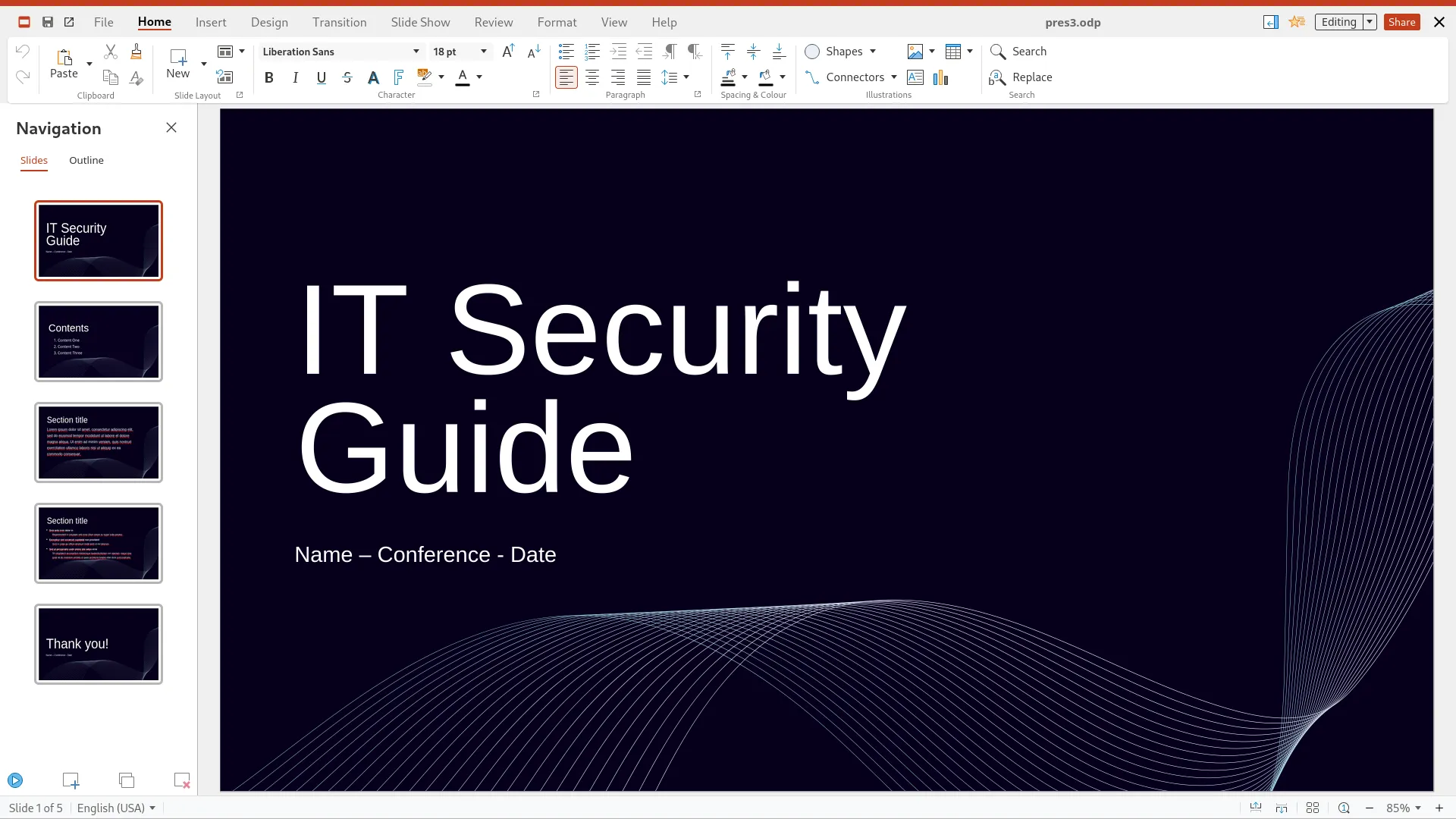
Collabora integration (branded Nextcloud Office) -
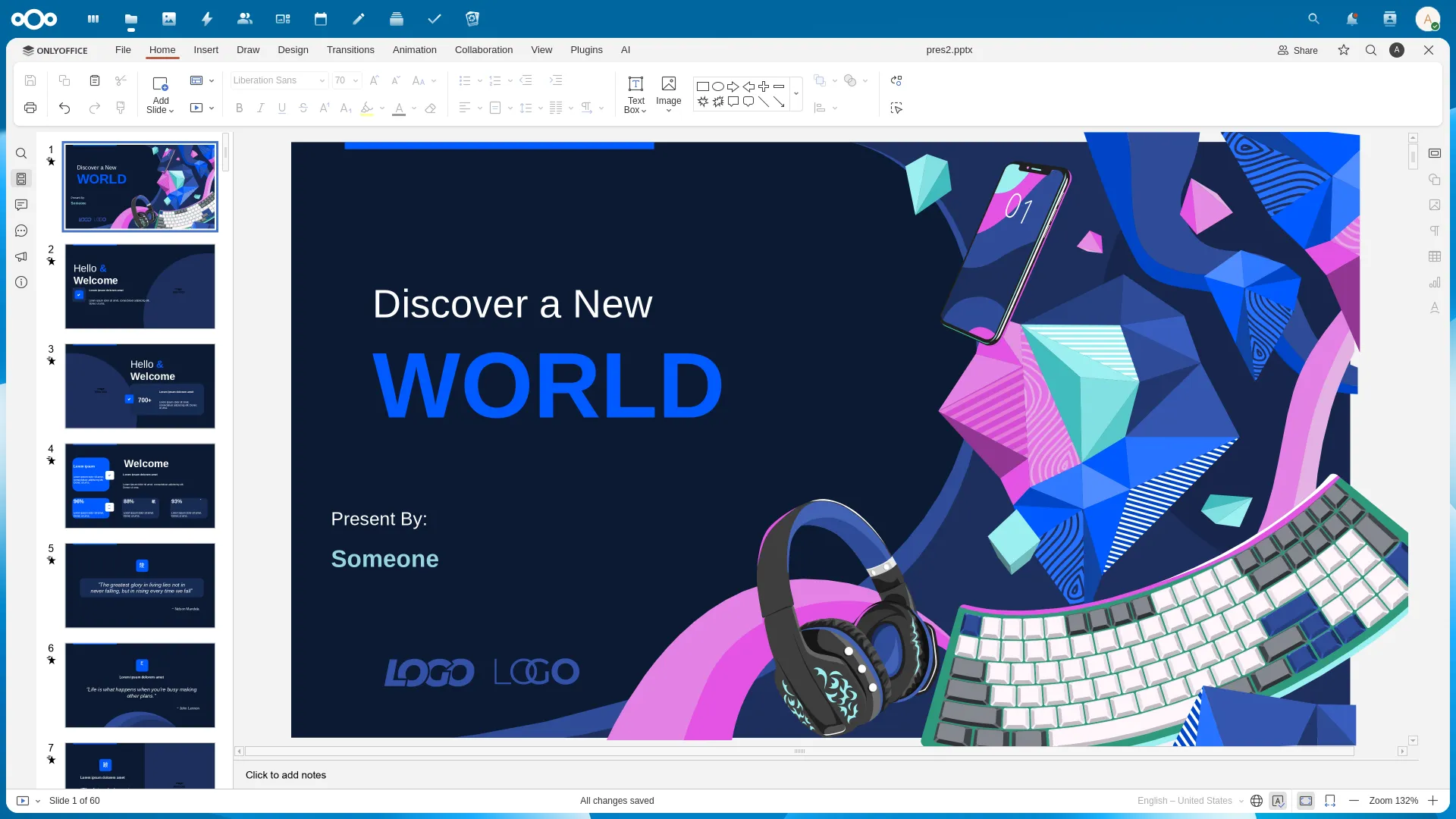
OnlyOffice integration -
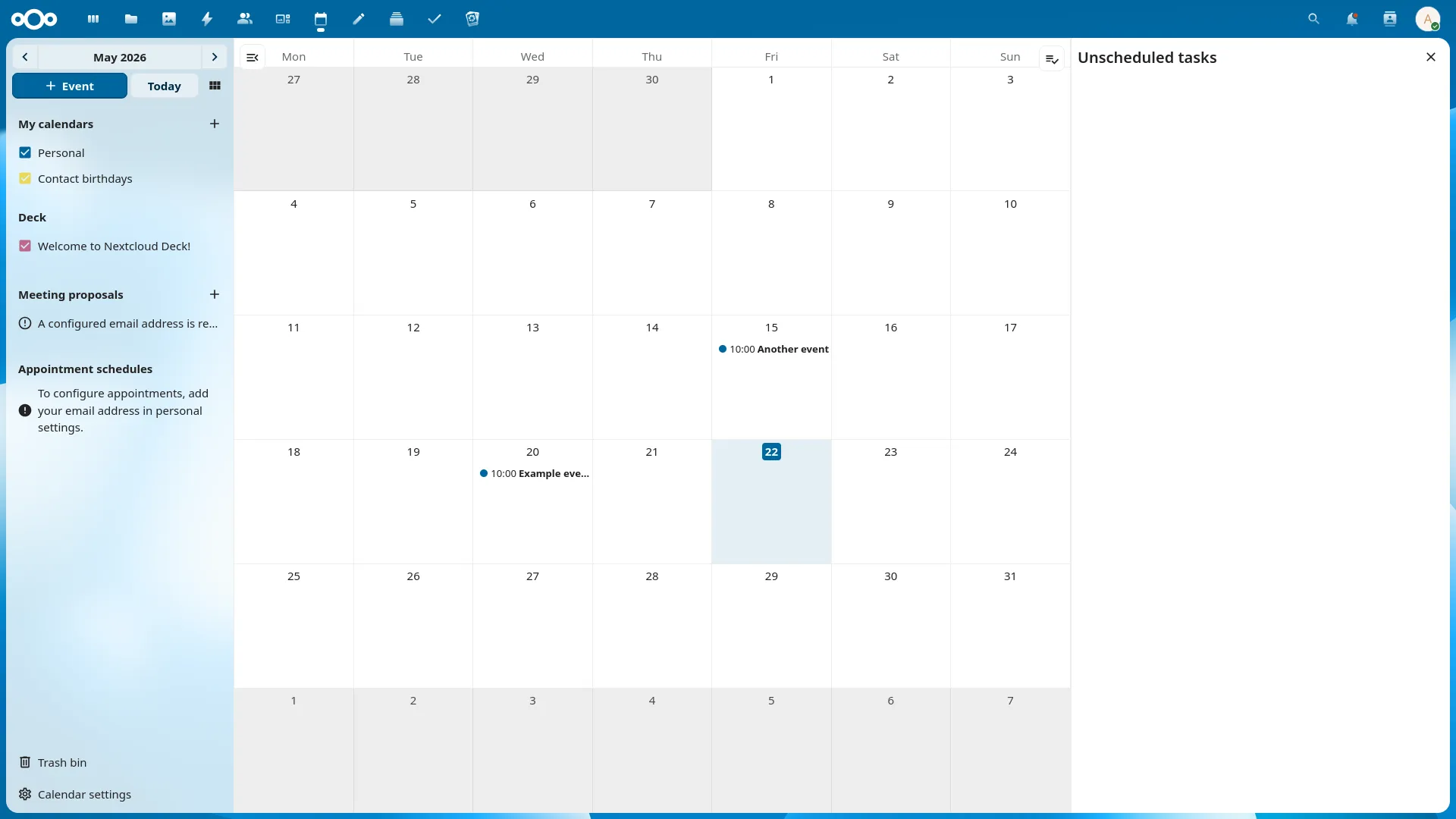
Calendar -
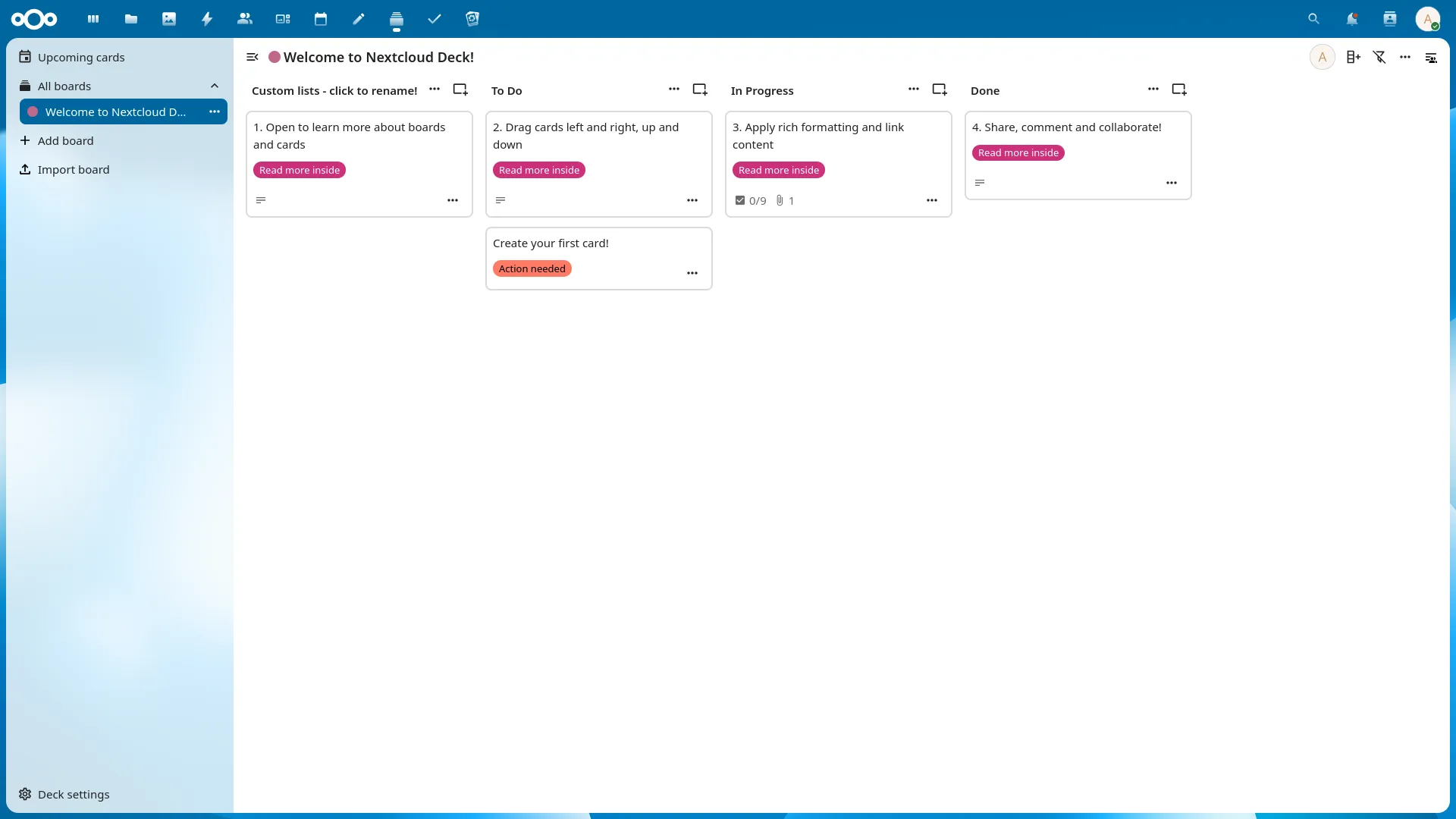
Deck/Kanban -
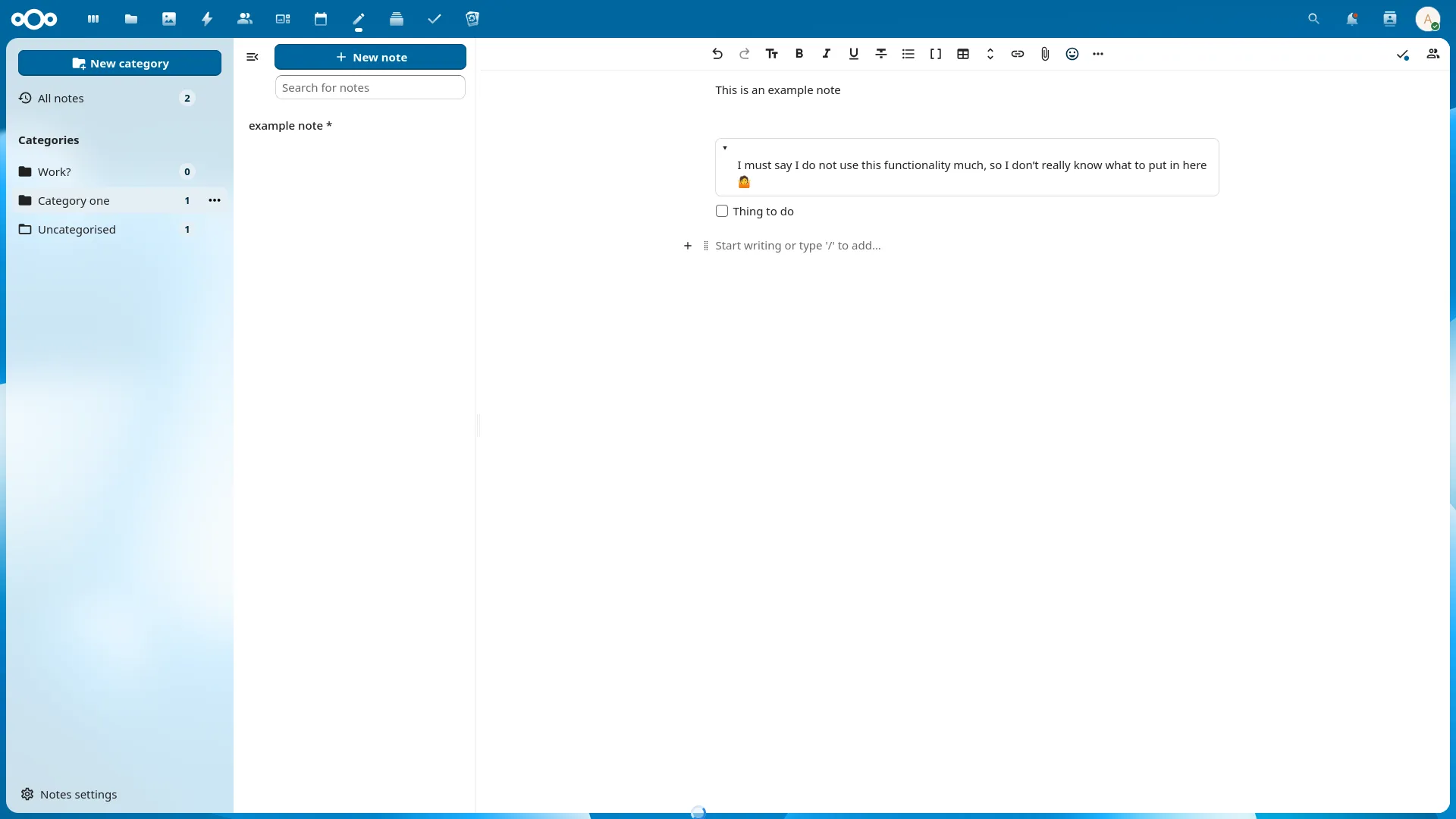
Notes -
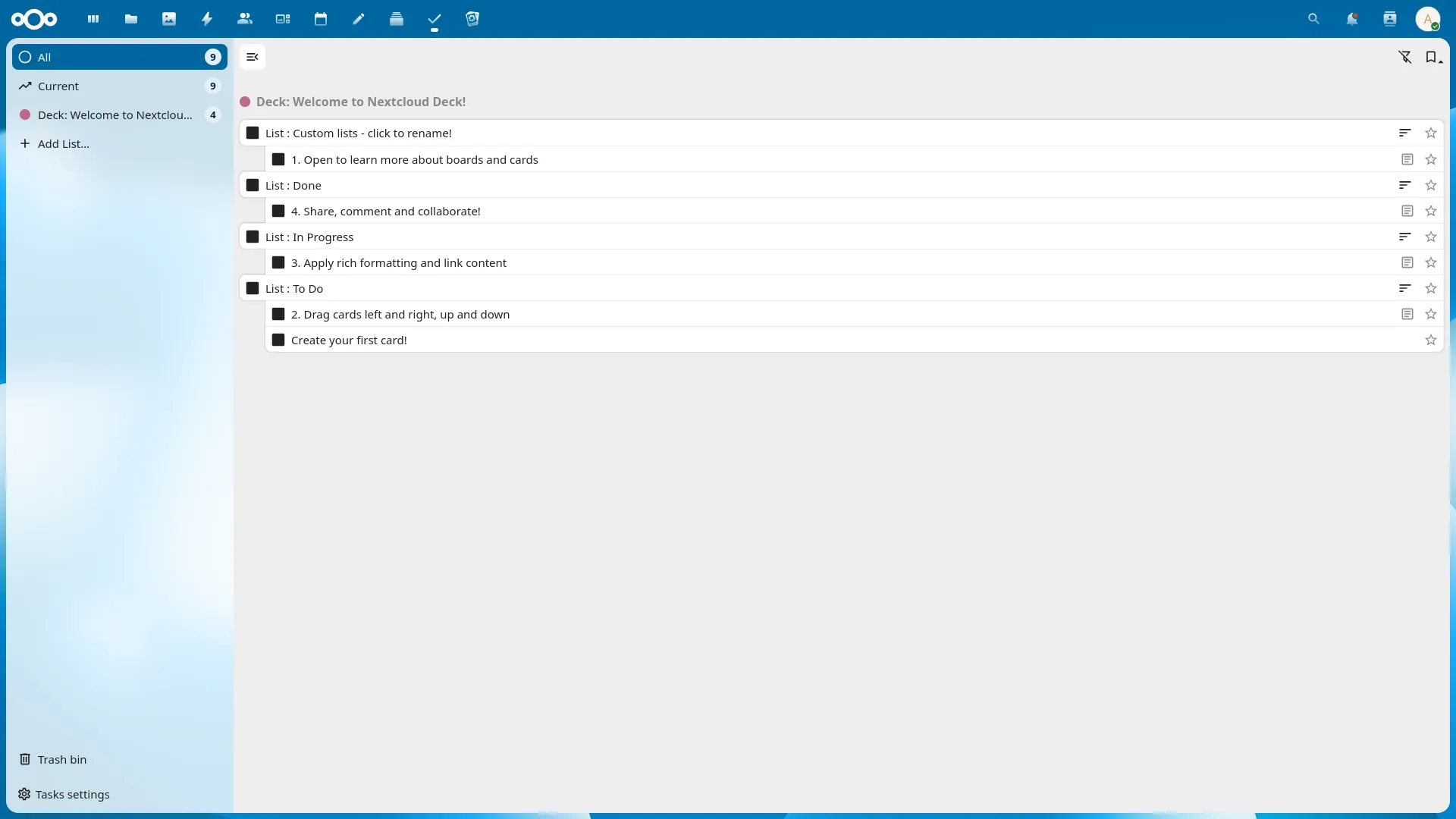
Tasks -
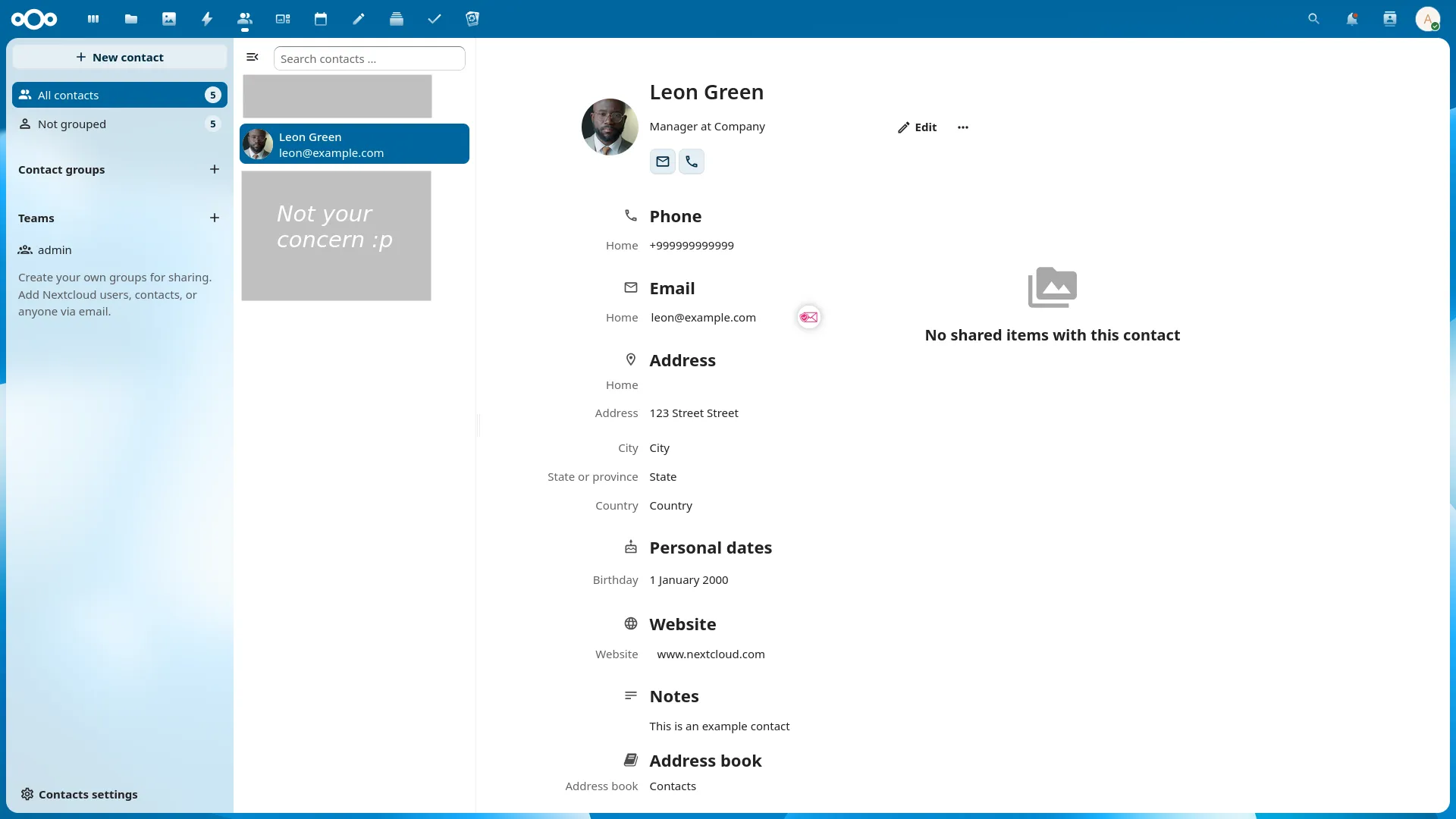
Contacts
OnlyOffice DocSpace
What? Haven't we talked about OnlyOffice enough already? Well, that was OnlyOffice Docs.
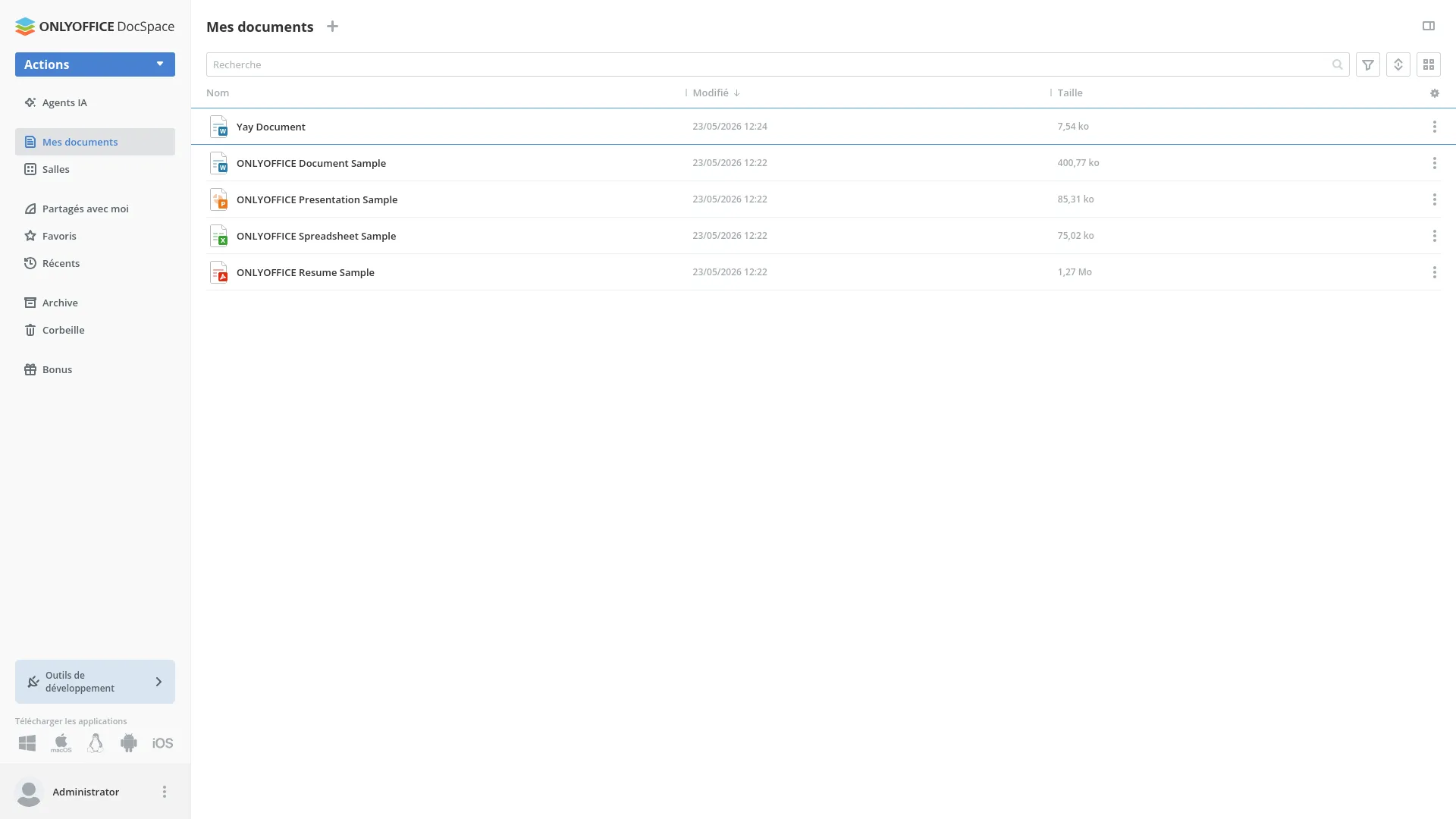
OnlyOffice DocSpace isn't just document editors, it also includes a storage solution, video calls and many other
enterprise focused tools and functionalities.
I knew from the start that OnlyOffice DocSpace isn't intended for personal use,
and targets enterprise users, it shows in the
system requirements[3], but I was curious and decided to try it anyway.
I didn't go into any depth, but I can tell it looks very polished.
They seem to focus quite a bit on AI integration, with a wide choice of possible providers, I did not try it, but it seems well done.
And that's about it, I do not have the means to test OnlyOffice DocSpace in a meaningful way considering it is clearly intended for
medium to very large deployments. I can only confirm that everything worked well with two test users.

References
- is it really FOSS, 10/06/2025, OnlyOffice, isitreallyfoss.com, accessed on 23/05/2026
- Euro-Office, 04/06/2026, Euro-Office liberates the ONLYOFFICE code base , GitHub, accessed on 23/05/2026
- OnlyOffice, OnlyOffice DocSpace system requirements , accessed on 23/05/2026
Credits
All vector illustrations found in this page are provides by
Vector Juice on Magnific.com